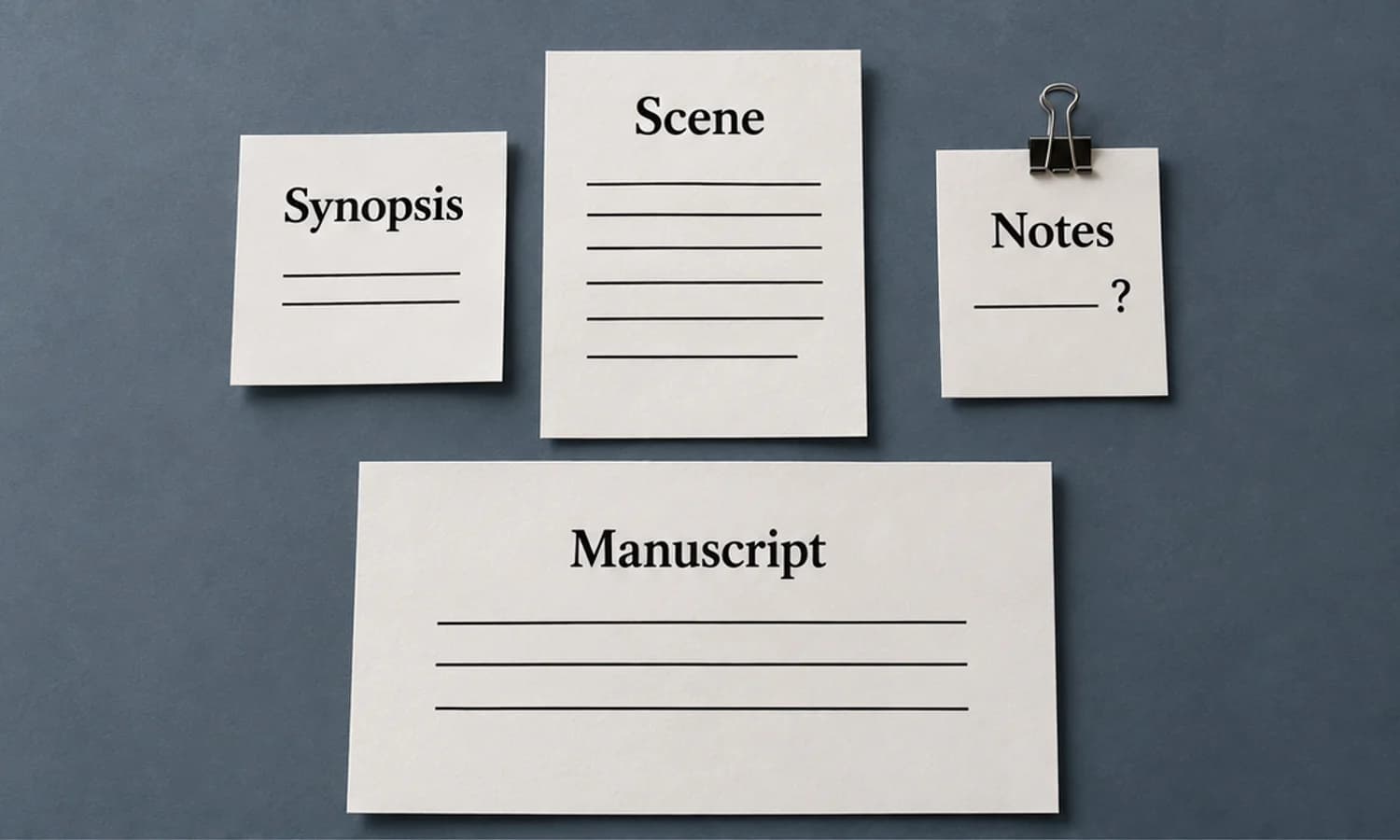

Improving your writing speed isn't about learning to type like a whirlwind. It’s about getting rid of the mental roadblocks that kill your momentum. The two biggest keys? You have to separate the act of writing from editing, and you need to switch your mindset from perfectionist to producer when you're laying down that first draft. Just focus on getting the ideas out.
The Real Foundation of Faster Writing
Before you start chasing a higher word count, let's figure out what’s actually holding you back. True writing speed has less to do with a words-per-minute metric and more to do with clear thinking and a workflow that lets you get into a state of flow. For most of us, the biggest bottleneck is our own internal editor - that nagging voice that questions every word the second we type it.
During drafting, focus on getting the argument onto the page. Leave clearly marked research gaps for the editing pass rather than presenting an unverified detail as fact.
If you want a full content-production version of that same system, our guide on how to write blog posts faster and better shows how outlining, batching, and editing passes fit together in practice.
The Power of Separating Tasks
The single most effective mental shift you can make is to finally accept that writing and editing are two completely different jobs. Trying to do both at once is like driving with one foot on the gas and the other slammed on the brake. You’ll just spin your wheels.
- Writing is for the Creator: This is all about flow and getting words down. Your job is to generate ideas, make connections, and fill the blank page. Don't stop, don't second-guess, just go.
- Editing is for the Critic: This is the analytical, detail-oriented work. Now's the time to fix grammar, sharpen your sentences, and polish your prose until it shines.
When you split these tasks, you give yourself the freedom to produce a rough - but finished - first draft in record time. This is where you find your speed. It's all about capturing those raw ideas before they vanish.
Mindset Shifts for Improving Writing Speed
To really internalize this, you need to consciously change how you approach the blank page. It's about swapping out old, slow habits for principles that encourage speed and flow.
This table breaks down the core mental adjustments you need to make.
| Common Slowdown Habit | High-Speed Writing Principle |
|---|---|
| Editing as you write. | Try drafting a section before polishing it. |
| Striving for the perfect first sentence. | Get something - anything - down and fix it later. |
| Worrying about grammar and spelling. | Ignore mistakes. Focus purely on capturing ideas. |
| Stopping to look up facts or stats. | Use placeholders and keep moving. |
| Writing in a linear, start-to-finish order. | Jump around. Write the easiest sections first. |
Embracing these principles isn't just about going faster; it’s about making the entire writing process less stressful and more creative.
Building Your Distraction-Free Writing Zone

Think of your workspace - both the physical and the digital - as either a launchpad or an anchor for your writing. Every notification ping, every uncomfortable slouch in your chair, every cluttered browser tab is a tiny bit of friction. Individually, they seem small, but together they make it nearly impossible to get into that elusive writing flow.
The first step is often the most tangible: your physical setup. A tidy desk isn't just for Instagram; it’s about giving your brain fewer things to process, freeing up that energy for the words on the screen. Simple ergonomic tweaks, like adjusting your monitor to eye level, can mean the difference between a productive hour and a session cut short by neck strain.
Taming Your Digital Chaos
Just as important is managing your digital environment. Let's be honest, the constant stream of notifications from email, Slack, and social media is the biggest writing speed killer out there. The solution is to be ruthless. Use your device's built-in focus modes or try dedicated distraction-free writing apps that do one thing: let you write.
The goal isn't just to eliminate obvious distractions, but to systematically remove every small point of friction that slows you down. These minor delays compound, breaking your flow and sabotaging any chance of reaching your top writing speed.
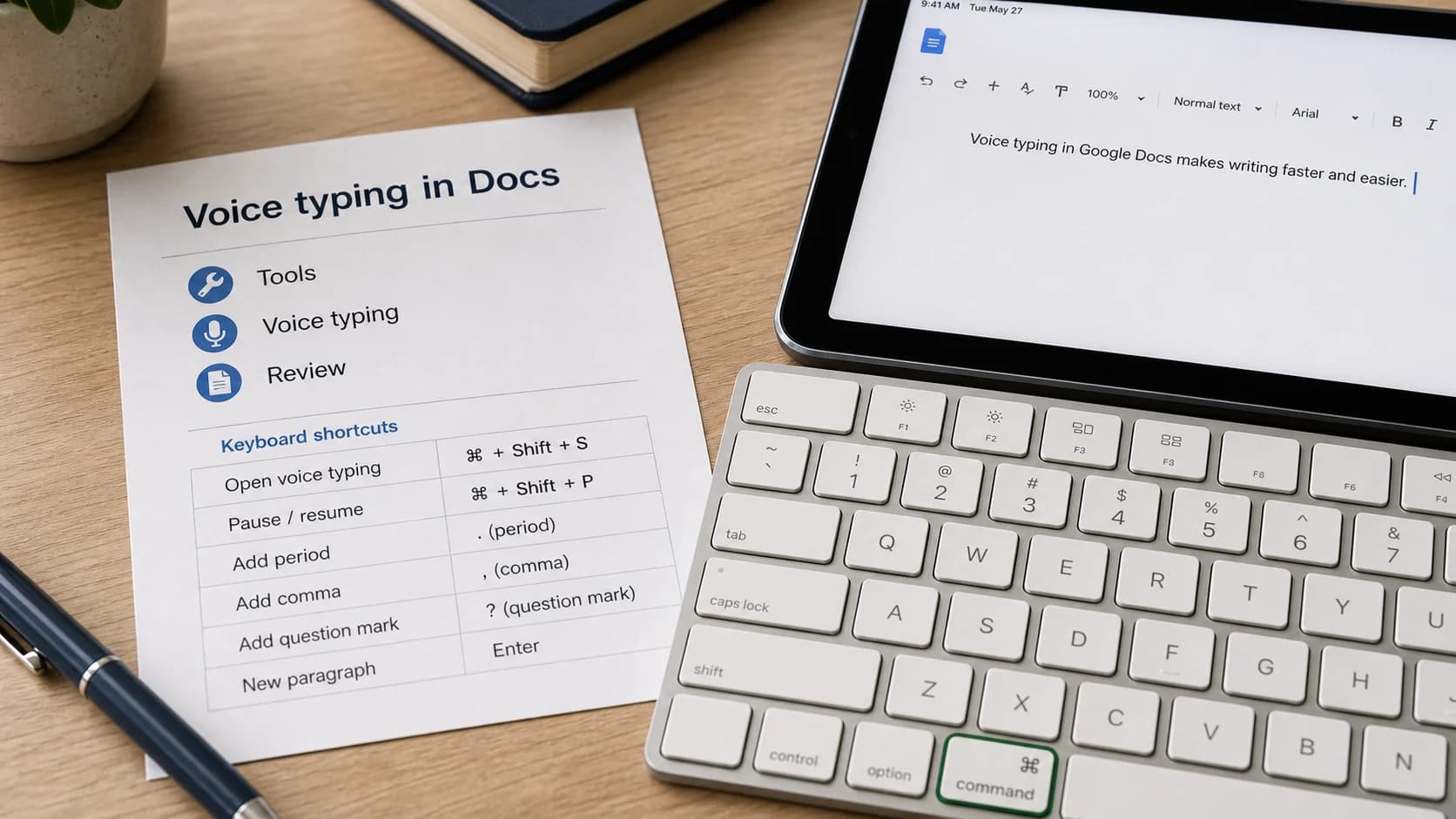
Believe it or not, getting friendly with a few keyboard shortcuts can also have a massive impact. Every time you reach for the mouse to copy, paste, or format text, you're breaking your rhythm. Learning the keyboard commands for these common actions shaves off seconds here and there, which really adds up over a full day of writing.
Two habits to try:
- Organize Your Research First: Before a single word is written, get all your notes, stats, and source links into one place. Constantly flipping between a dozen browser tabs to find one little fact is a surefire way to shatter your concentration.
- Embrace Full-Screen Mode: Nearly every writing application has a "zen" or full-screen mode. Use it. Hiding all the toolbars and menus creates a clean, immersive canvas that makes it much easier to stay locked in on your draft.
Typing speed is one part of the task. Also measure time spent finding sources, arranging ideas and correcting the finished draft.
How to Outline and Draft Like a Pro

Start with an outline of the reader’s question, your answer and the supporting evidence. It gives the next paragraph a purpose when you return to the draft.
This simple step takes the guesswork out of writing. You always know exactly what comes next, which prevents you from stalling out halfway through.
Find an Outlining Method That Clicks
Your outline doesn't have to be some elaborate, formal document. For a blog post, it can be as straightforward as jotting down your main headings and then adding a few bullet points of key ideas under each one.
The real goal here is to find a method that gives you just enough structure without boxing you in. This is a huge part of learning how to improve writing speed.
- Minimalist Bullets: List the core arguments for a short article.
- Detailed Structure: For a white paper or e-book, add sub-points, source notes and clearly marked gaps.
By mapping out your arguments first, the actual writing becomes much less about what to say and more about how to say it. You're just connecting the dots you've already laid out.
Master the "Ugly First Draft"
With your outline in hand, try a 15- or 20-minute writing sprint. Draft one section without polishing each sentence. Adjust the duration to the task.
The only goal during a writing sprint is to get your ideas down. Forget about editing. Ignore typos. Resist the urge to find the "perfect" word. Just write.
This is all about silencing that pesky inner editor who loves to slow you down. You’re simply translating your outline into full sentences. If you hit a snag, like needing a specific statistic or a name, use a clear placeholder such as [verify date] and continue. Resolve every placeholder before publication.
An outline and a timed drafting session give you a method to compare with your current process. Include editing and fact-checking time when judging whether it helped.
Actionable Drills to Build Your Writing Muscle
Getting faster at writing doesn’t just happen. You have to train for it, just like you would for a marathon. Think of these drills as your daily workout - they build the focus, stamina, and pure mechanical skill you need to get words on the page faster.
Try a 25-minute writing session with one defined task, followed by a short break. You can shorten the session if that fits your concentration better.
Transcription and Sentence Drills
Another surprisingly powerful drill is straight-up transcription. Grab a short audio clip or just open a book and start typing it out, word for word. This hones the physical connection between seeing (or hearing) a word and your fingers typing it, boosting your raw typing speed and accuracy without the mental overhead of composing something from scratch.
To work on both speed and clarity, give sentence-combining drills a shot. Find a paragraph of short, choppy sentences and challenge yourself to weave them into a few elegant, more complex ones. This trains your brain to structure thoughts more efficiently on the fly, so you spend less time wrestling with awkward phrasing in your first draft.
Of course, speed isn't everything. It’s a balancing act.
Track completed work and correction time as well as word count. Faster rough text is useful only if the finished piece still meets your quality standard.
Ultimately, these exercises are about training your brain to drop into a state of flow on command. As you build this muscle, you’ll find that first drafts feel less like a chore and more like a natural reflex. For more ways to level up, like using dictation to really ramp up your word count, take a look at the productivity tips on the Paraspeech blog.
Let Modern Tech Do the Heavy Lifting
If you feel like your fingers just can't keep up with your brain, it might be time to test a different input method. In one Stanford HCI study, 32 participants entered short English phrases on an iPhone; speech recognition was 2.93 times faster than the phone's built-in keyboard under those conditions. That is a narrow mobile short-phrase result, not a universal Mac writing-speed ratio. Test dictation against your own total task time after corrections.
By dictating your first draft, you can capture ideas in a conversational way and then compare the full workflow with typing. Include correction and editing time in that comparison: the useful result is whether the completed draft takes less time for your voice, language, microphone, and writing surface.
Putting Dictation and AI to Work
You don't need a professional recording studio to get started. The microphone built into your laptop or even your phone is surprisingly good these days. The real trick is to speak clearly and at a consistent pace. It feels a bit weird at first, but you'll quickly find your groove.
While basic tools are useful, a dedicated app can offer a more controlled workflow. If you’re serious about this, you can download a speech-to-text tool like Paraspeech, then verify the active speech and rewrite backends and temporary speech-fallback state when processing location matters.
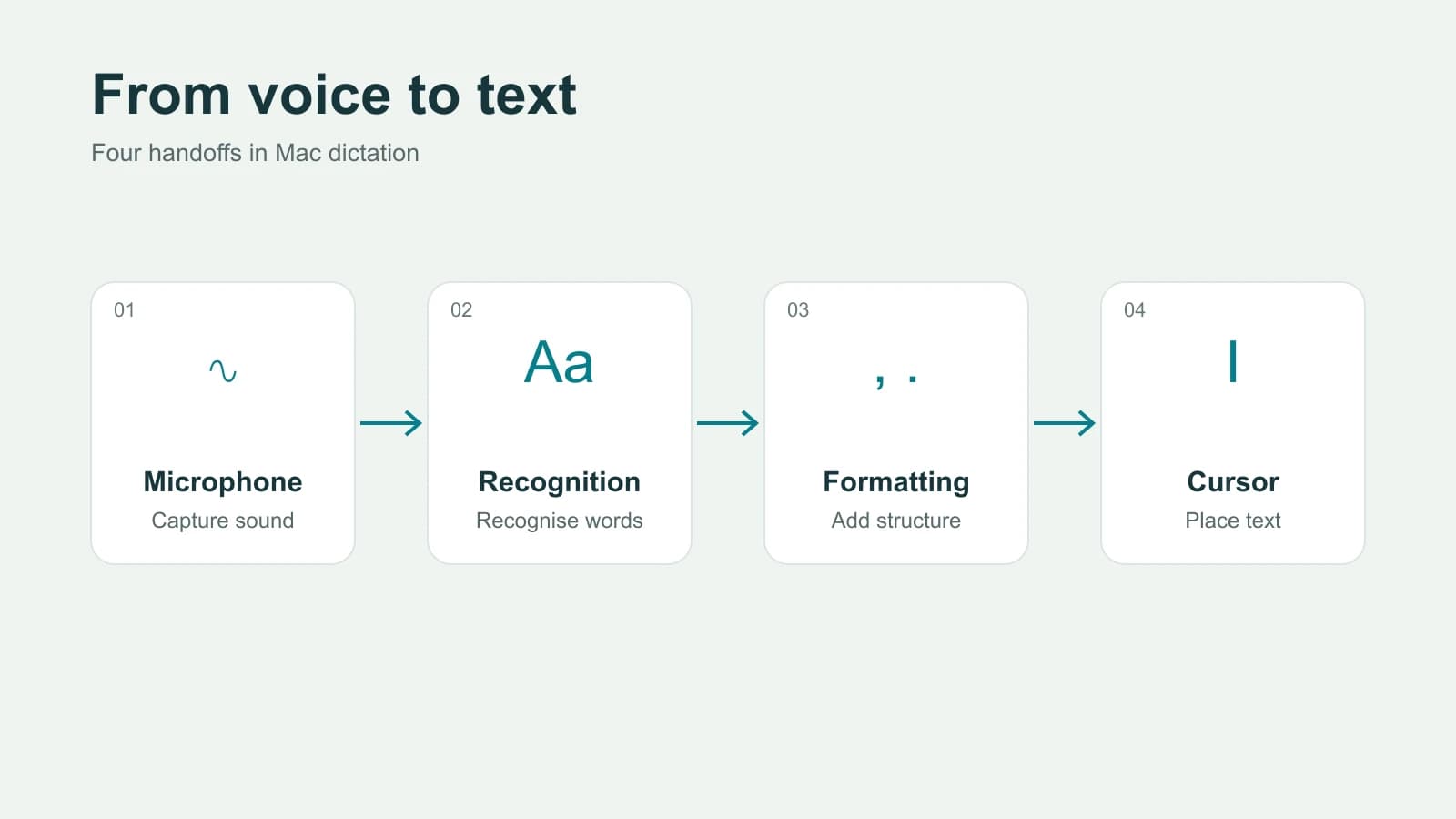
So, how does this actually work? It’s a fascinating process where your voice is translated into text quickly: your spoken words become a digital signal, which is then analyzed for phonetic patterns and pieced together into coherent text. Modern software makes this fast enough for everyday drafting.
Making Speed a Habit, Not a Hack
Getting faster isn't about finding a single shortcut. Real, lasting speed comes from building a smart, repeatable workflow that becomes second nature. It's about knitting all these strategies together until they're just... how you write. This is how you shift from struggling to get words out to consistently hitting your goals.
It starts with carving out a regular time to write. It doesn't have to be hours. Even a solid 20 minutes before your day officially kicks off can train your brain to snap into "writing mode" on command. A consistent routine is like a runway; it gives your focus a clear path to take off.
Wear Two Hats: The Creator and The Critic
If you take only one thing away from this guide, let it be this: you have to strictly separate the part of your brain that creates from the part that criticizes. They are mortal enemies. Trying to do both at once is the number one reason writers get stuck, delete every sentence, and make painfully slow progress.
This isn't just a friendly tip; it's the bedrock of writing quickly. When you're drafting, your only job is to get words on the page. That's it. It’s about generating raw material, not crafting a masterpiece.
The secret to breaking the speed barrier is embracing two totally separate stages: a messy, no-judgment creation phase, followed by a ruthless, analytical editing phase. Don't ever let them in the same room.
Imagine you're writing a blog post. As the "Creator," your job is to just follow your outline and turn bullet points into sentences. Don't worry about typos, clunky phrases, or that statistic you need to look up. Just type [insert stat about X] and keep flying. This relentless forward motion prevents the start-stop-start cycle that absolutely murders your momentum.
Once the draft is done - and only then - you can put on your "Critic" hat. Now’s the time to go back, fix the errors, sharpen your points, and make it all sing.
Build a Process You Can Trust
To make this two-hat system stick, you need a predictable sequence for every writing session. This removes the guesswork and saves your brainpower for the actual writing.
Try this sequence:
- Outline Everything: Don't even think about writing a full sentence until you have a roadmap. This is your insurance against getting lost.
- Write in Sprints: Set a timer and just go. Your only goal is to get the ideas down, translating your outline into a very rough draft. No editing allowed.
- Step Away: This is crucial. Give yourself at least a few hours (a full day is even better) away from the draft. You need fresh eyes to edit effectively.
- Edit with Purpose: Come back as the Critic. Now you can slash, rewrite, and polish with a clear head.
And on those days when inspiration just isn't showing up? Don't fight it. Lean on your process. Maybe you just work on the outline. Maybe you do a bit of research. Trusting the structure is what carries you through the tough spots and builds a truly efficient, low-stress writing habit for the long haul.
Got Questions? We’ve Got Answers
These questions address common obstacles when separating drafting from editing.
What If I Can’t Shut Down My Inner Critic?
This is, without a doubt, the number one hurdle. That voice in your head that nitpicks every word before it even hits the page can be paralyzing. The secret is to reframe the task.
Treat the first draft as working material. If you keep editing the opening, move to a section whose argument is already clear and return to the introduction later.
The real goal is a finished first draft, not a perfect one. Give yourself permission to write terribly. The freedom that comes from knowing you'll fix it later is where you'll find your speed.
Should I Type or Use Dictation?
This comes down to personal preference and the task at hand. A Stanford HCI study found a 2.93-times input-speed difference for 32 people entering short English phrases on an iPhone. It did not measure general Mac drafting or correction time, so compare typing and dictation on the same real task and judge total time after corrections.
Choose the input method for the task:
- Typing gives direct control over exact terms, punctuation and structure.
- Dictation provides another way to draft explanations or brainstorm ideas.
You can dictate initial thoughts, then use the keyboard to review and organize them.
How Long Should My Writing Sprints Be?
If you’re just starting out, think small. The classic Pomodoro Technique is popular for a reason - its 25-minute sprints are the sweet spot. It's long enough to find a good rhythm but short enough that you won’t feel drained.
You can test dictation for this drafting stage. Use Paraspeech to speak a rough paragraph, then review and correct it. Compare the completed task with your usual method before assuming it saves time.
Once you’re comfortable with that rhythm, you can start extending those sessions. And if you run into any technical questions while setting up a voice-to-text workflow, feel free to reach out to the Paraspeech support team - we’re happy to help.
Ready to get first drafts moving by voice? Paraspeech is a Mac-first dictation app with supported local and eligible cloud-backed paths. Where a session runs depends on the active speech and rewrite backends, and allowed temporary cloud speech fallback can use cloud processing. The current Mac download supports Intel and Apple Silicon Macs on macOS 14 or later. Try it at https://paraspeech.com.