Useful content answers a question someone actually has. Start by choosing that question, gather the evidence needed to answer it, and give the reader a clear next step. These ten practices help you move from an idea to a published piece without adding process for its own sake.
If getting a first draft down is the difficult part, see how to write blog posts faster and better.
1. Know Your Audience Inside Out
Describe the reader's situation before choosing a topic. “A Mac user whose dictation microphone is missing” gives you something specific to answer. “People interested in productivity” does not.

Use existing customer questions, support conversations, search queries and reader feedback to find those situations. Keep the wording people use. A question such as “Why can't I see the microphone?” is a better starting point for a help article than a broad list of product features.
Buyer persona research can help organize what you learn, but you do not need a fictional biography for every audience. Record the problem, what the reader already knows and the decision the article should help them make.
2. Create a Consistent Content Calendar
A calendar prevents two common problems: forgetting a promised piece and writing several articles that answer the same question.
For each planned piece, keep its reader question, owner, draft date, proposed publication date and current state. Separate an idea from a ready draft and a ready draft from something already published. Link to the actual article or source material rather than copying it into several planning tools.
Leave room for a source change or a more urgent reader problem. A date helps organize work; it should not force you to publish an unfinished answer.
3. Prioritize Quality Over Quantity
Before adding another article, ask whether an existing page already answers the question. It may need a clearer example, a corrected step or a better link rather than a second owner for the same subject.
A useful review asks:
- Does the opening answer the question?
- Can the reader follow the instructions or compare the choices?
- Are material claims supported by the linked sources?
- Does the example explain something the reader would otherwise have to work out?
- Is the next action relevant to the problem?
Use the amount of detail the task needs. A setup guide may need screenshots and steps; a narrow definition may need a paragraph and an example.
4. Optimize for Search Intent and SEO
Someone searching for setup help needs instructions. Someone comparing two products needs the differences that affect their choice. Match the answer to that need instead of adding keywords to an unrelated article.
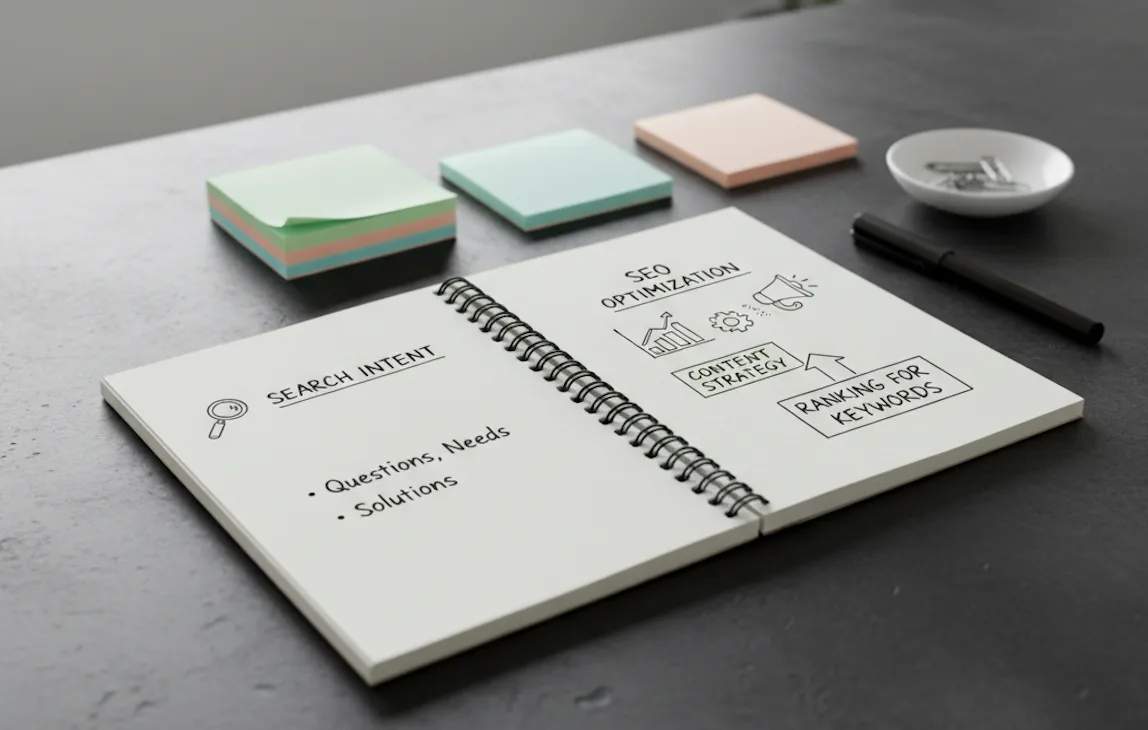
Search results can reveal useful questions and competing answers, but they are not a template you must copy. Read primary documentation and identify what your piece can add. Google's people-first content guidance is a useful reference.
Write a descriptive title and opening. Link to related pages when they help the reader finish the task. Neither a particular format nor a topic-cluster diagram guarantees search traffic.
5. Tell Compelling Stories
Use a story when the sequence matters: someone encountered a problem, tried an approach and saw a documented result. Keep the details that explain the decision.
A real customer example needs permission and evidence for the outcome. A made-up example can explain a process too, provided it is clearly an example rather than presented as a customer result.
For a setup guide, that could be a simple situation: a headset is connected, but the computer still uses its built-in microphone. Show the setting that changes the selected input. The useful part is the explanation, not an invented success statistic.
6. Diversify Content Formats
Choose another format when it makes the answer easier to use. A short recording can show a sequence of controls; a written checklist can be easier to follow while changing settings.
You can adapt a substantial piece into smaller ones, but each version needs its own useful purpose. An interview might become an article with context, a short clip of one answer and an edited transcript. Check quotations against the recording before reusing them.
Start with the channels your audience already uses. Producing a video, podcast and infographic for every article adds work without establishing that anyone needs those versions.
7. Maintain Brand Voice Consistency
A short style guide with real examples is often enough. Specify the tone, the terms you use for the product and the kinds of claims that need sources.
For example, replace “Unlock seamless productivity” with the concrete action the product supports. If an app turns speech into text, say where the text goes and what the reader can do with it.
Keep tone appropriate to the situation. Troubleshooting should be direct and calm. A launch announcement can be enthusiastic without promising a result you have not established.
8. Leverage Data and Analytics
Choose a measure that fits the piece. Search exposure may help you assess discovery; a useful product action can tell you more about the next step. Keep those outcomes separate.
Use the data you can legitimately collect and understand. A traffic increase identifies something to investigate; it does not, by itself, tell you why it happened. Compare periods and populations consistently, and pair the numbers with reader feedback.
For a small audience, fixing an unclear instruction can be more useful than running an inconclusive headline experiment. Record what changed so later results have context.
9. Engage and Build Community
Make it easy for readers to report a missing step or ask a follow-up question. Those responses can reveal what the article should explain next.
A community does not require a new platform. Answering questions where readers already respond may be enough. If you use a contribution or quote, obtain the necessary permission and credit the person appropriately.
Choose a level of interaction you can sustain. A quiet forum that nobody maintains is less useful than a clear way to get a question answered.
10. Create Evergreen and Update Regularly
Stable topics still contain facts that change. Menu names, prices, eligibility and product availability need maintenance.
Keep the source links and note when material facts were checked. Update the affected section when the facts change. Preserve the original publication date and use an update date only for a real update.
Review important guides when their sources or products change, rather than rewriting every page to make its date look recent. Repair broken links and outdated examples before adding more sections.
Content Creation Best Practices Comparison
| Where you get stuck | First change to try |
|---|---|
| Topics feel generic | Start from a specific reader question. |
| Several drafts cover the same subject | Find the existing owner before assigning another article. |
| Drafting takes too long | Outline the answer, then draft one section at a time. |
| Readers cannot follow a step | Add the missing control, condition or example. |
| Sources keep going stale | Keep a source list and update the affected claims. |
| Distribution feels unmanageable | Choose one useful additional format or channel. |
Choose one change to try
Pick the problem that is costing you time now. Apply one change to the next few pieces and review the result before adding more process.
If speaking helps you get a first draft down, you can try voice drafting. We make Paraspeech, a Mac dictation app. It supports local speech on compatible Apple Silicon Macs after model setup, while eligible cloud models support other configurations. Text rewriting is a separate local or cloud choice, so select both processing steps for your needs. The app requires macOS 14 or later. Use the Paraspeech download page or direct Mac download to get started.