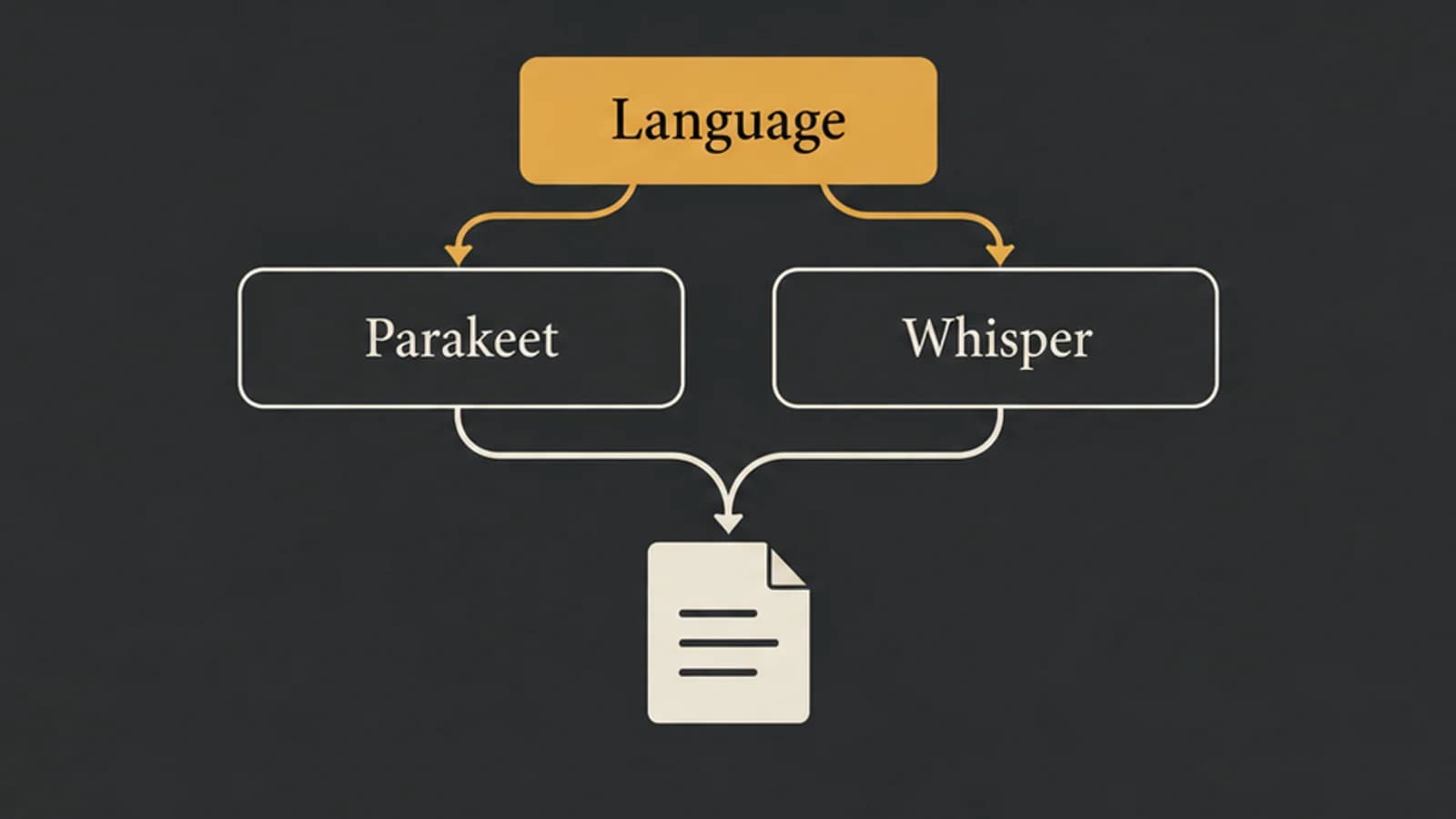
Parakeet vs Whisper starts with the exact model, your source language, and the task you need. Parakeet TDT 0.6B v2 is an English transcription model; v3 expands that specific line to 25 European languages. Whisper has multiple variants with different task support. In particular, Whisper large-v3-turbo is a transcription choice, not a translation recommendation.
For German transcription, Parakeet v3 is a candidate to check alongside an available multilingual Whisper route. For Japanese, that specific v3 language list does not qualify it; check a supported Whisper transcription route or a separately documented Japanese model. Once two candidates support your task, compare them in the app you will actually use. The family name alone does not establish an accuracy or speed winner.
Compare exact variants before comparing results
| Model | Documented task and languages | What that means for your choice |
|---|---|---|
| NVIDIA Parakeet TDT 0.6B v2 | English speech-to-text | Consider it for English input; do not assume v3's multilingual coverage applies to v2. |
| NVIDIA Parakeet TDT 0.6B v3 | Speech-to-text in 25 listed European languages | Check your language against the list before testing it. German is listed; Japanese is not. |
| OpenAI Whisper large-v3-turbo | Multilingual transcription; OpenAI explicitly excludes translation training | Check the source language and app support. Do not select it to turn foreign-language speech into English text. |
| Other Whisper variants | English-only and multilingual variants exist; task support depends on the variant | A capability attributed to “Whisper” needs an exact model and a runtime that exposes it. |
These distinctions come from NVIDIA's v2 model card, its v3 model card and language list, and OpenAI's Whisper repository.
There is a source conflict worth resolving before you choose. The large-v3-turbo model card includes a generic translation example. OpenAI's repository explicitly states that turbo was not trained for translation and returns the source language even when translation is requested. For turbo, use that explicit limitation; the example is not a basis for promising translation.
Transcription preserves the source language in text. Translation changes the language of the output. If you need English text from German speech, your task is different from producing a German transcript, even though both begin with the same recording.
A German recording and a Japanese recording lead to different choices
Consider this hypothetical selection example, not a test result: you have a German-only interview and want a German transcript.
German appears in Parakeet v3's published language list, so v3 passes the first eligibility check. Parakeet v2's English scope does not. A multilingual Whisper transcription route is another candidate if your app exposes it for German. You can now compare eligible routes using a sample from the interview, rather than spending time on an English-only option.
That does not tell you how v3 will handle the speaker's accent, specialist vocabulary, or background noise. It also does not establish that a recording switching between German and another language will work well. A supported-language list answers which inputs to consider; it is not a result for your audio.
Now change the source to a Japanese-only recording. Japanese is outside the 25-language list for Parakeet TDT 0.6B v3. Check an available Whisper route with Japanese transcription support, or a dedicated Japanese model documented by your app. This excludes one exact variant from this choice, not every model in the Parakeet family.
Finally, change the desired result to an English translation. That rules out selecting turbo on the strength of generic Whisper translation claims. First find a model and application that explicitly support the translation task; a transcription setting or multilingual label is insufficient.
Treat published benchmarks as a different setup
OpenAI explains that its relative-speed table uses English audio on an NVIDIA A100. NVIDIA's model cards likewise specify their own evaluation conditions. Those results do not measure a converted model running through your Mac app, with its loading behavior, audio handling, and output processing.
Do not turn an upstream GPU memory figure into a minimum Mac-memory requirement, or a leaderboard ratio into a promise about how quickly your document will appear. Look for requirements and measurements for the actual application and runtime.
If two supported models remain, use this proposed personal check, not executed for this article:
- Keep one short recording representative of your work, including the names, numbers, or terminology that matter to you. Prepare a checked reference for those passages.
- Process the same recording through each eligible model. Keep language settings and optional text rewriting equivalent, and record which model actually handled each run.
- Compare the passages against the audio for wrong names or numbers, missing words, and added text. Note whether each result is usable after your normal corrections.
- Observe whether each route's turnaround is acceptable for your task. Keep first-use download and model-loading time separate from repeated processing.
Choose on the result you can reproduce in your workflow. One sample can help you choose a starting model; it cannot establish that a whole family wins across languages, speakers, or recording conditions.
Availability and task limitations for the chosen model
In Paraspeech Mac 1.7.2, build 367, the model labels do not spell out the upstream families. Released-source inspection gives this map for the eligible direct-download Apple silicon workflow:
| Released selector label | Model and runtime |
|---|---|
| Multilingual | Parakeet v3 through FluidAudio |
| English | Parakeet v2 through FluidAudio |
| English Fast | Parakeet tdtCtc110m through FluidAudio; a separate variant from the two 0.6B models above |
| Multilingual Large | WhisperKit model openai_whisper-large-v3_turbo |
“English Fast” is the selector's name, not a measured speed claim in this article. “Multilingual Large” is the only selectable Whisper option in this release; there is no selectable “English Large” option. The separate “Mandarin Chinese” model maps to Paraformer, not Parakeet.
These local choices require supported hardware, the applicable distribution policy, and downloaded, ready models. Intel Macs use eligible cloud routes rather than these local paths. The App Store policy excludes the helper-dependent WhisperKit route, so do not assume the direct-download selector map applies there.
The selected model also does not prove which backend handled a particular dictation run. Check the active speech backend and any temporary fallback. Text cleanup has its own backend: a local speech model followed by cloud rewriting is not an entirely local workflow. The offline dictation guide explains those processing boundaries; the dictation pipeline guide covers capture and insertion.
Use the setup documentation to check the model options available on your Mac. For an existing recording, continue with the audio-file transcription guide. This selector map is based on the released source, not a hands-on comparison of recognition quality or runtime performance.
Last checked: September 20, 2026.
This is an independent comparison. NVIDIA Parakeet and OpenAI Whisper are named to identify the models being compared. Paraspeech is not affiliated with, sponsored by, or endorsed by NVIDIA or OpenAI. Model and application details can change; verify current official documentation.
