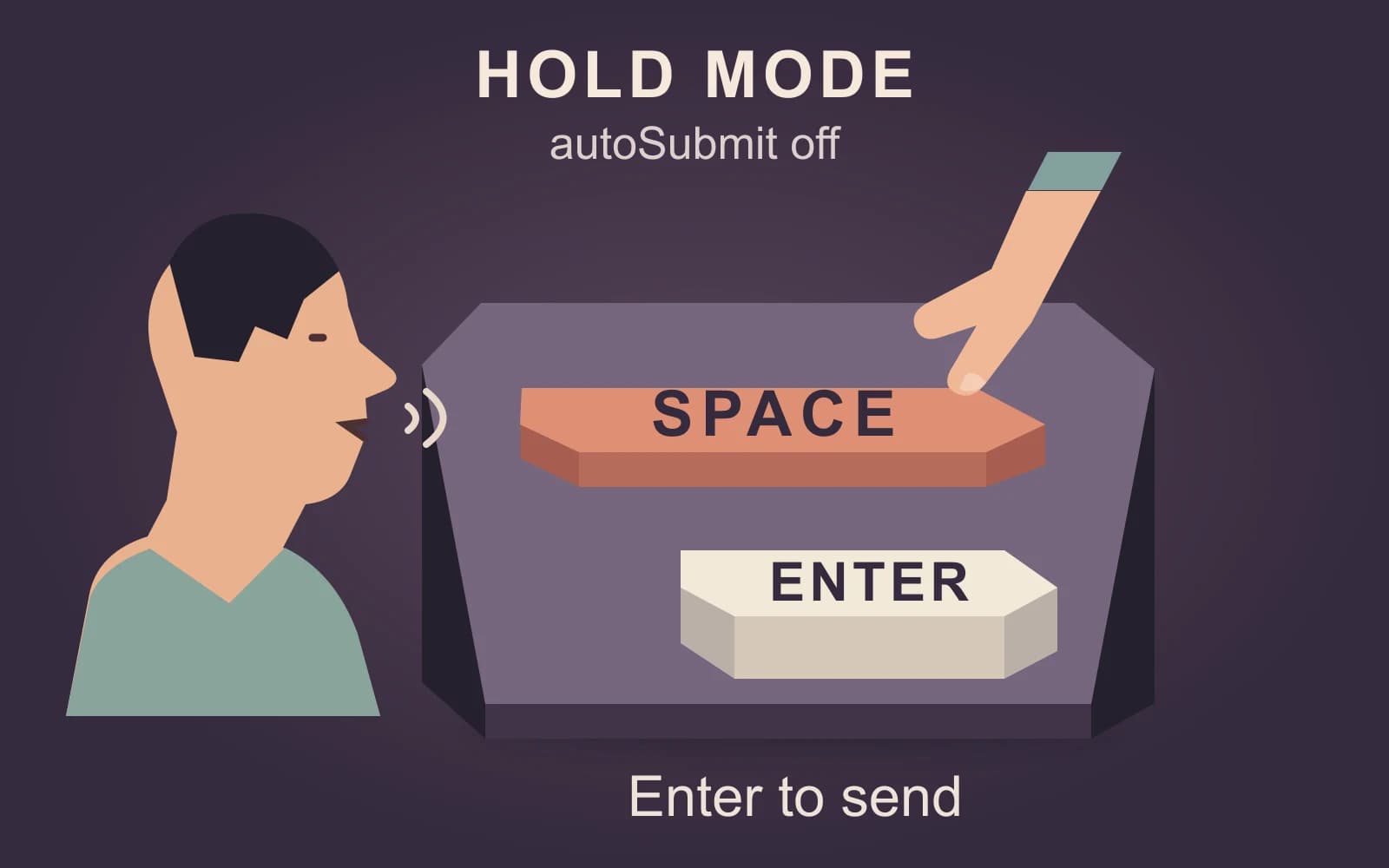
Claude dictation in Claude Code can leave a prompt for review or submit it automatically. For a coding prompt you must inspect first, choose hold mode with autoSubmit off. See the current Code dictation documentation.
The distinction matters when a spoken request still needs exact file paths, commands, or corrections. Decide when the message can leave before you start speaking.
We make the Mac dictation app discussed below and are not affiliated with Anthropic. Documentation checked November 3, 2026.
Start with Claude Code’s submission rules
CLI dictation needs a claude.ai sign-in, a local microphone, and terminal microphone permission. API-key or third-party configurations, cloud sessions, and SSH sessions are outside this route.
| Code mode | Default key action | Submission behavior |
|---|---|---|
Hold, autoSubmit off | Hold Space, then release | Draft waits for Enter. |
Hold, autoSubmit on | Hold Space, then release | A transcript of at least three words sends on release. |
| Tap | From an empty prompt: tap Space, speak, tap again | A transcript of at least three words sends on the second tap. |
Shorter transcripts are inserted without automatic submission. These controls and thresholds come from Code’s hold and tap instructions.
For the reviewed-prompt workflow here, run /voice hold and check that voice.autoSubmit is off. Hold the default Space key to speak, release, edit, then press Enter when ready. Choosing hold does not reset autoSubmit.
Build a coding prompt you can review
The example uses a fictional repository. Replace its paths and command with your own.
Speak the problem and intended change
A rough authored request might be:
Find why a blank value in the settings file replaces the existing value. Make the smallest fix in the settings reader and add a test. Keep zero and false working. Don’t change the public API or add dependencies. Tell me what caused it, what changed, and what the test showed.
That supplies the intent. It leaves “blank,” the target files, and the verification command unspecified.
Add exact details with the keyboard
Before sending the prompt:
- Define blank as the empty string
"", rather than whitespace,null, or a missing key. - Type the actual source and test paths. Do not ask the assistant to infer a filename from a spoken approximation.
- Add the repository’s real test command and preserve the expected behavior for valid
0andfalsevalues.
The keyboard additions are part of the prompt, not evidence that dictation failed. Exact punctuation and filenames are worth checking even when the prose reads correctly.
Review the final message
Find why an empty string in the settings file replaces an existing non-empty value.
Source file:
src/config/read-settings.ts.Test file:
tests/read-settings.test.ts.An empty string (
"") should leave the existing value unchanged. A non-empty value should replace it. Preserve the current behavior of valid0andfalsevalues.Make the smallest fix and add a regression test. Preserve the public API and do not add dependencies.
Run
pnpm vitest run tests/read-settings.test.ts.Return the root cause, a short patch summary, and the actual verification result.
Check the repository paths, expected behavior, and command before submitting.
For broader choices about speaking developer prose while typing exact syntax, use our developer dictation guide. This workflow’s extra decision is which native control leaves time to add those details.
Use Mac Quick Entry for a desktop prompt
Quick Entry for Claude Desktop on Mac is a separate route from the Code CLI. Quick Entry needs macOS 12 or later; its dictation feature needs macOS 14 or later. Claude Desktop must be running, but it can run in the background.
The default quick-access shortcut is a double-tap of Option. The optional voice shortcut uses Caps Lock and is disabled by default because it takes over that key.
Once the voice shortcut is enabled:
- Press
Caps Lockto start dictating. - Press it again to stop.
- Review the text.
- Click the arrow to send.
This second keypress stops recording; it is not the Code tap-mode submission rule.
Manage shortcuts in Settings → Desktop app; older settings layouts use Settings → System → This computer. The documentation lists Accessibility for Quick Entry and Speech Recognition for dictation. Screen Recording permission is for screenshot capture and window sharing, not a reason to attach visual context to every dictated prompt.
Choose conversational Voice for spoken replies
Claude Voice lets you speak and hear Claude answer. Anthropic currently documents it as a beta on web, desktop, and mobile. It suits talking through an idea when you want an ongoing spoken exchange.
The Code CLI’s /voice command in this guide controls dictation into a prompt. Do not interpret its name as a promise of that two-way conversation. Anthropic’s Voice documentation distinguishes conversational Voice from dictation in Claude Code and Cowork.
Keep input processing and Claude data handling separate
Code dictation streams recorded audio to Anthropic for transcription; it does not recognize that audio locally. Quick Entry’s documentation says the transcribed text is sent as a Claude message. Those are different source descriptions, not a blanket promise that every Claude input route has the same audio lifecycle.
The Code data-usage policy ties consumer model improvement to the account preference. It currently lists five-year retention when consumer users allow model improvement and 30 days when they do not. Commercial accounts follow different terms and can have additional arrangements. These are account-data rules; they are not an operation-specific guarantee that dictation audio is deleted at a particular moment.
Review the applicable account policy before including private code or customer details. A text draft still needs that decision after its wording is correct.
When a separate Mac dictation route fits
A separate app can fit when you want the same speech-input workflow across notes, browser forms, and coding tools.
Paraspeech supports eligible downloaded local speech models on Apple Silicon Macs after setup. With the required permissions, it can attempt insertion into many supported editable fields; clipboard and manual paste provide a fallback. The Mac setup documentation explains the model and permission requirements.
Local speech input does not make Claude’s reasoning or storage local. Check speech and rewriting backends separately, then review the text under the destination service’s data policies before submitting it.