To transcribe an interview, work from a recording you are permitted to process, decide what spoken detail to retain, create a first transcript, then check the text against the audio. Keep speaker turns, mark words you cannot resolve, and replay any passage you intend to quote. Interview transcription is finished when the reader can distinguish what was said from what remains uncertain.
A full transcript follows the conversation. A cleaned reading copy removes agreed details such as some fillers. A summary selects and paraphrases the main points. Decide which one you need before editing: a polished summary cannot replace the spoken wording behind a quotation.
Keep the recording and agree on the transcript you need
Keep the original audio unchanged and make a working copy if you need to trim or process it. Give the transcript the same recording identifier so someone reviewing a sentence can find its source. If you trim the beginning, record the offset; otherwise a timestamp in the transcript may point to the wrong moment in the original.
Check the permissions or project agreement covering the recording, transcription, processing service, and intended sharing. If a research project or publication has supplied a transcription convention, use that convention. Do not assume that permission to record also settles where you may upload the file or who may receive the transcript.
Write a short instruction at the top of the working document. For example:
Preserve wording, denials, corrections, and incomplete sentences. Remove “um” only when it adds no meaning. Mark interruptions and unclear words in brackets. Keep a separate edited copy for publication.
That is a proposed convention, not a universal definition of “verbatim.” An interview about how someone speaks may need hesitations and repetitions that a reading copy would omit. Even in a cleaned transcript, “I think,” “perhaps,” and “I don't remember” can change the certainty of an answer; keep them.
Utah State University Libraries' interview-transcription guidance recommends agreeing on what to retain, marking unclear speech, using consistent speaker labels, and checking the recording. Use those conventions consistently across the interview.
Create a first pass without resolving every difficult word
For manual transcription, open the audio in a player with pause, replay, and playback-speed controls, alongside a text document. Work through one speaker turn at a time. Replay the end of the previous turn when you resume so you do not lose a short answer or an interruption at the boundary.
When a word remains unclear, insert a marker such as [unclear 04:18] and continue. If you can hear part of the sentence, retain that part. Repeatedly guessing the missing word can make one plausible interpretation feel certain without adding evidence.
An automated file-transcription tool provides another first pass. Save that output before making corrections, then review a copy. Check whether the tool also cleans or rewrites the recognized text: a setting designed to produce smooth prose may remove repetitions, unfinished thoughts, or qualifications that your convention requires.
Use the method that lets you compare text with the recording. If automated output repeatedly loses turns or invents words in a difficult passage, transcribe that passage manually rather than editing an increasingly misleading draft. You can combine the two methods within one interview.
Preserve the denial, the uncertainty, and the interruption
The following is an original synthetic example, not a real interview or output from a transcription app. The timestamp and speakers are fictional. The bracketed gap represents a number that cannot be understood from the imagined recording.
[04:18] Interviewer: Did you approve fifteen orders?
Participant: No, I didn't approve them. I checked—
Interviewer: The whole batch?
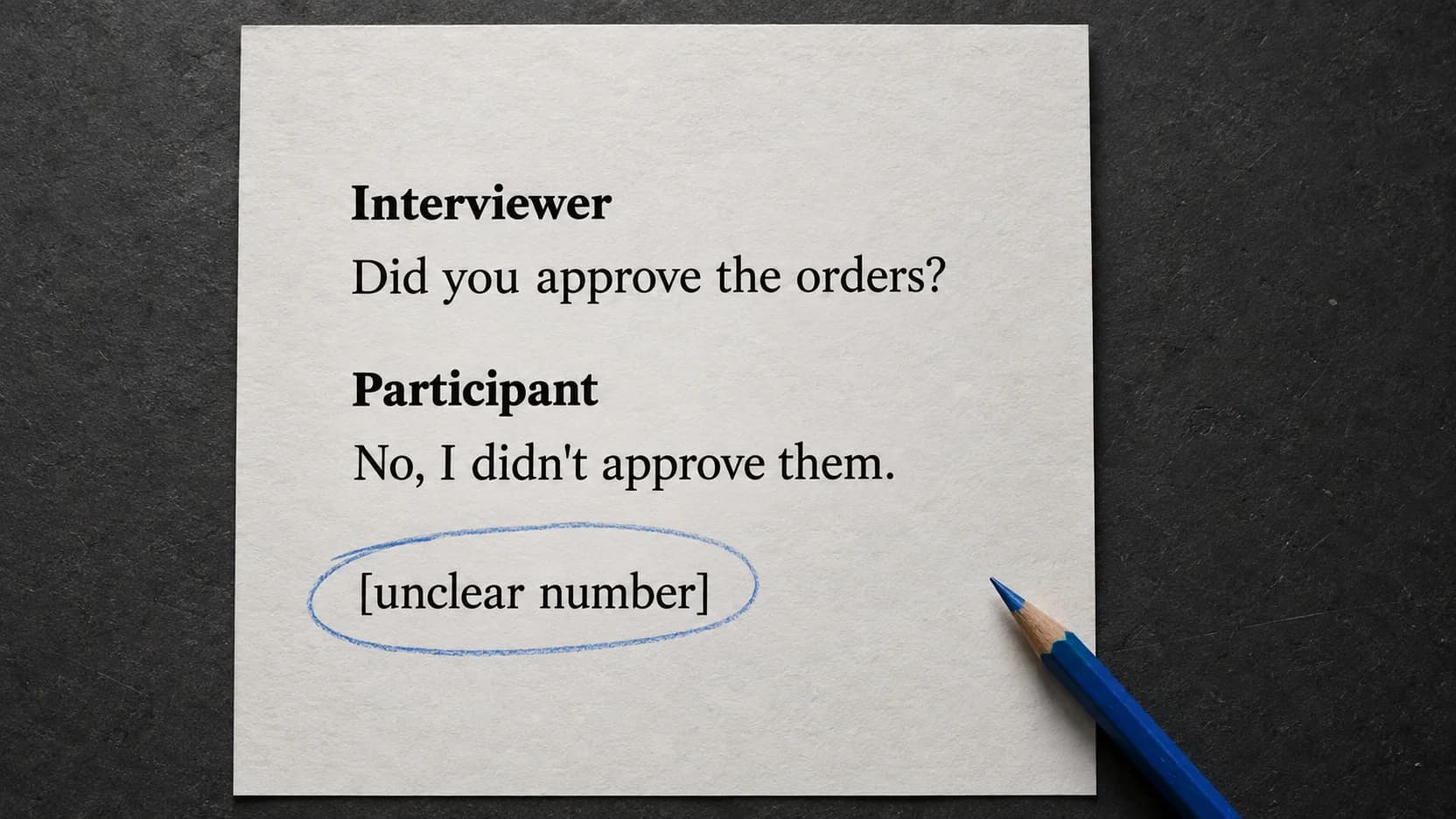
Participant: [overlapping] No. I checked [unclear number 04:26]
             of them, I think. Approval was Maya's job.
A tempting edited version might read:
The participant checked and approved fifteen orders. Maya handled the batch.
That sentence is fluent and wrong. It turns a denial into an action, borrows the interviewer's number as if the participant confirmed it, removes uncertainty, and changes who had responsibility.
A useful reading copy leaves this exchange substantially intact. Keep “No, I didn't approve them” as the participant's denial. Retain [unclear number 04:26] and “I think” instead of replacing them with the number from the question. The interrupted sentence and overlap explain why the exchange does not read like a prepared statement.
If the participant later clarifies the number, record the clarification separately with its date and source. A later answer can help the reader understand the exchange; it does not make a different number audible in the original recording.
Check speaker turns and quotations against the audio
Listen through the interview while following the draft. Correct missing or repeated passages before polishing punctuation. When the voice changes, check that the label changes with it; a short “yes,” “no,” or interruption can belong to a different speaker from the sentence around it.
Use a stable key such as I = interviewer and P1 = participant 1. Assign a person's name only when you have a basis for the identification, such as an introduction and a confirmed voice match within the recording. If attribution remains uncertain, write [speaker unclear]. An automatically generated label is not proof of identity; the speaker-diarization guide explains that distinction.
For a passage you intend to quote, replay the preceding question and the complete answer. Check who said it, whether a qualification appears just before or after it, and whether your excerpt joins words that were separated by another speaker. Keep a timestamp or source reference beside the quotation in your working notes, even if it will not appear in the finished piece.
Names and numbers need a different kind of caution. A project glossary can suggest how to spell a name you hear, but it cannot prove that the speaker said that name. Likewise, a spreadsheet may show the expected total without establishing the total spoken in the interview. Compare those references with the audio rather than silently replacing the spoken wording.
If you cannot resolve a passage, leave the uncertainty visible and avoid quoting the doubtful words as settled speech. For a summary, describe only what the recording supports. Do not let a clean-looking transcript hide the reason a passage was left unresolved.
Hand over the transcript with its source and open questions
The recipient should be able to return to the recording and understand your editorial choices without asking you to reconstruct the work. A compact header and an unresolved-passages note are enough for many ordinary handoffs.
This is a synthetic handoff example for the fictional excerpt above:
Recording: interview-07-original.wav
Transcript: interview-07-checked.txt, revision 2
Time reference: original recording; no trimming offset
Convention: preserve wording and qualifications;
            mark interruptions, overlap, and unclear speech
Speaker key: Interviewer; Participant
Review: entire draft checked against audio
Open passage: 04:26 — number remains unclear
Quotation note: do not treat the number in the question
                as a confirmed answer
Replace the example's review line with what you actually did. If you checked only selected quotations, say that; do not label the entire transcript reviewed. Keep any publication edits or summary in a separate document so the checked transcript remains available for comparison.
If the project includes participant review, record whether a change corrects a transcription error or adds a later clarification. Honor the agreed access and sharing restrictions when handing over either version.
Create a first transcript from your recording on Mac
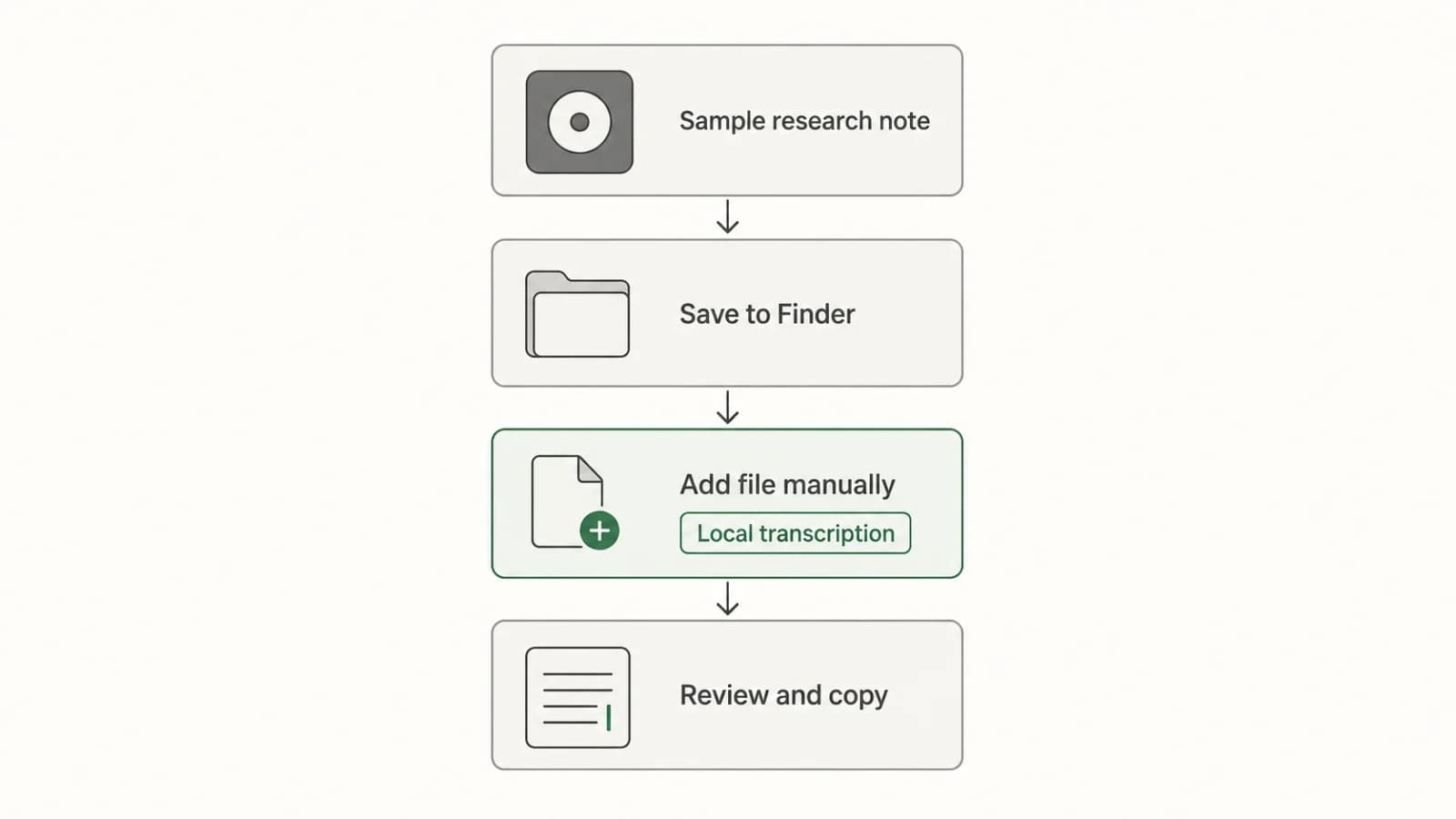
Paraspeech can supply the automated first pass for a supported saved audio file. In the released Mac 1.7.2 file workflow, speech recognition requires a downloaded local model. Supported local models run on Apple Silicon Macs; an Intel cloud-dictation route does not establish support for local file transcription.
Before importing the interview, check the output settings. Choose Transcription Only to avoid an AI rewrite, and check settings such as filler removal against the convention you agreed. Transcription Only does not make the result a verified verbatim record. Keep the audio and review omissions, corrections, and uncertain speech yourself.
Add the saved recording through the file-transcription workflow, then copy the resulting text into your working transcript. Review and add speaker labels as needed; file import alone does not establish automatic speaker separation. The Mac audio-file guide covers the broader choice of file-processing route.
These product details come from released-source and documentation inspection, not a performed interview-transcription test. Local file recognition also does not establish that a later rewrite is local: speech recognition and rewriting use separate processing paths. Check the current setup documentation before processing an interview with restrictions on how its content may be used.
Last checked: September 21, 2026. The interview excerpt and handoff record are synthetic teaching examples. No recognition-accuracy benchmark was performed.