Choose MacWhisper alternatives by the job you want to change. Try Apple Dictation for built-in voice writing, Aiko for a recording-to-export workflow, or a dedicated Mac writing app for a different dictation setup. Keep MacWhisper when its dictation and file tools already meet your needs. Its direct-download edition supports dictation; switching is not necessary just to get text into another app.
Before comparing replacements, check which edition you installed and what the finished result must be. A paragraph in an email, an editable transcript and a timed subtitle file are different outputs.
Publisher note: We make and sell the Mac dictation app discussed in the final section. We are not affiliated with or endorsed by MacWhisper, Aiko or Apple.
Last checked: October 20, 2026. This comparison uses official documentation and released-product sources. The example below is invented; it does not report an installed-app, migration or accuracy test.
Check which MacWhisper you installed
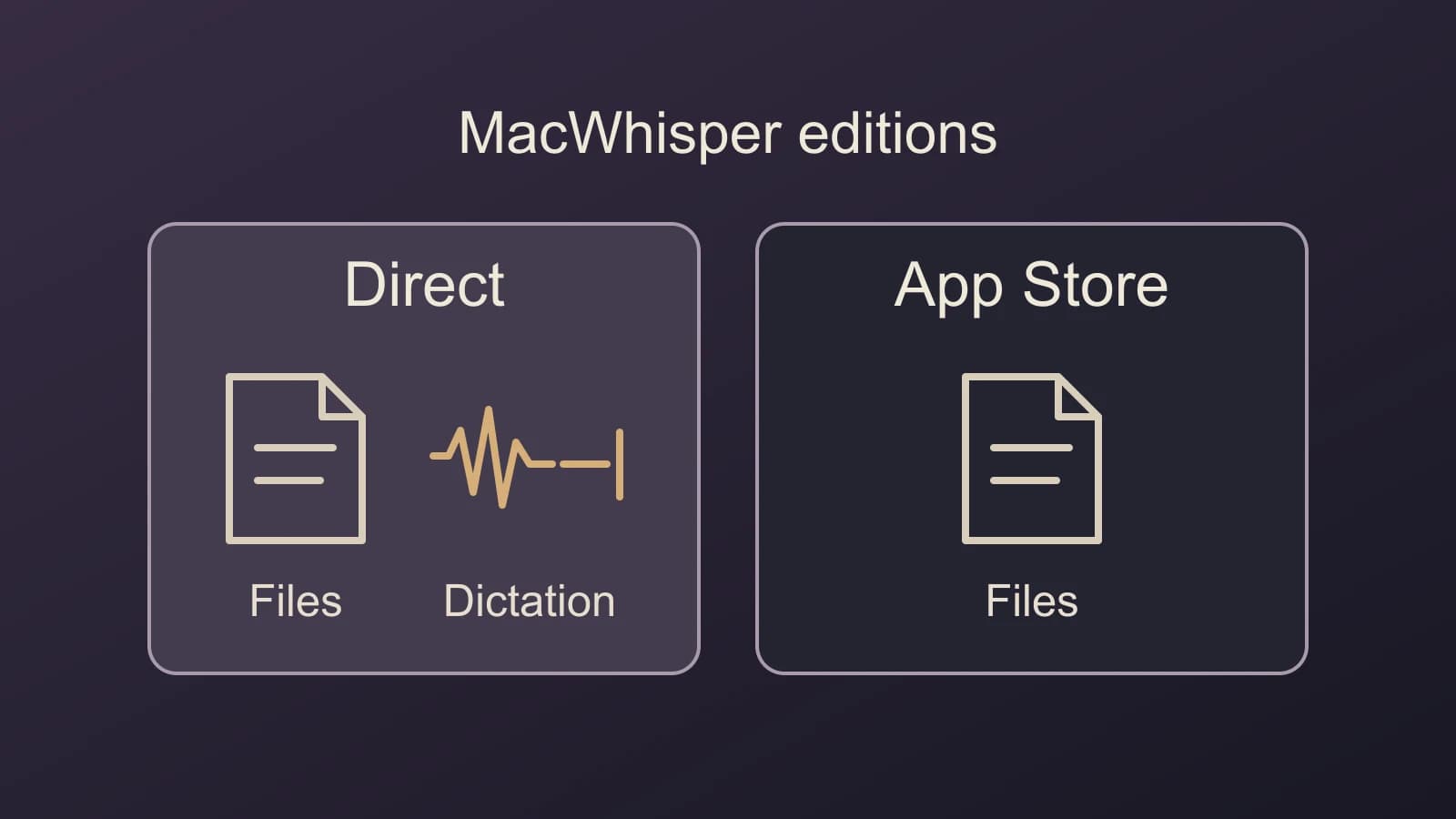
The developer distinguishes MacWhisper, downloaded directly, from Whisper Transcription, sold through the App Store. The direct edition supports dictation into text fields. Its dictation guide describes enabling the feature from the home screen or Settings > Dictation, then configuring a shortcut. If the missing feature is dictation, check this distribution difference before changing products. Edition comparison, dictation setup.
Licensing follows the distribution too. A MacWhisper direct-download license key does not activate the App Store product. The developer documents separate App Store purchase options. Check the terms for the edition you intend to use rather than assuming an existing purchase transfers.
MacWhisper also documents app-specific AI prompts. Wanting different writing behavior in different apps is therefore a reason to inspect its current configuration, rather than proof that you need a replacement. Its current product page describes dictation alongside file transcription, meeting recording and other workflows.
Choose the output before the replacement
Apple Dictation for writing in the current app
If you want to speak a draft where you already type, Apple Dictation is the built-in starting point. Enable it in System Settings > Keyboard > Dictation, place the insertion point in your writing app, and use the configured dictation control. Apple's Dictation guide covers availability and setup.
Choose this route when you want live text entry without another dictation app. Keep it if it handles your writing task and language. It does not answer a requirement to turn a folder of recordings into exported transcripts. Check the processing notice in Keyboard settings if on-device recognition matters; availability varies by configuration.
Aiko for exporting a recording and editing elsewhere
Aiko is worth considering when the job is to transcribe a recording on your device and take the result into another editor. Its documentation describes exports, including subtitles, and explicitly directs text editing to a separate editor.
That is a concrete workflow choice: you receive transcription output, then do the editorial work elsewhere. If you want to correct text inside the transcription app, this documented approach is not the same experience. Aiko also points to Shortcuts for batch work instead of a built-in batch feature. Its current page offers a trial followed by an App Store purchase.
Keep MacWhisper for the file outputs you already need
If several formats from multiple recordings are central to your work, inspect MacWhisper's existing batch route before replacing it. Its batch instructions document opening multiple local files and adding several export formats with Add Format. The page excludes URL files from that batch operation.
A dictation replacement can satisfy daily writing while leaving this export job unanswered. For input lists, queue checks and matched outputs, use the separate Mac batch-transcription guide. You do not need to rebuild that workflow merely to change how you write an email.
Compare the processing setup you would actually use
Local speech is not a feature unique to a MacWhisper alternative. MacWhisper's current homepage describes local transcription and both local and cloud AI connections, including Ollama and LM Studio. Aiko documents on-device transcription too. Do not replace a working local setup because a comparison list implies MacWhisper lacks one.
Keep speech recognition separate from the next text operation. A local transcript followed by an online rewrite involves a different processing path from local recognition alone. Compare the model and AI service selected for your intended workflow, rather than drawing a conclusion from the app name or the word “Whisper.” The Whisper runtime guide explains why a shared model name does not establish the same application output.
A switch can change one job and leave another in place
Consider this invented situation. You use MacWhisper for two jobs: writing short replies and turning weekly interview recordings into an editable document plus subtitles. You want to change the writing experience, while those file outputs still matter.
| Required result | What the choice needs to preserve |
|---|---|
| A reply in the current writing app | Live text insertion and the wording you intend to send |
| An editable interview transcript | A saved output you can open and correct |
| A subtitle file for the same interview | Timing and a format your video workflow accepts |
Apple Dictation could address the reply while MacWhisper continues to handle the recordings. That would change one part of your work, rather than replace every tool at once. Aiko becomes a different candidate if you prefer to export the recording's text and edit it elsewhere, accepting its documented setup for the file work you need.
Now remove the weekly multi-format requirement: you only occasionally need a recording's text in an editor. The reason to retain the batch exporter becomes less compelling. Alternatively, keep the batch requirement and ask for app-specific writing prompts. MacWhisper already documents those prompts, so trying that configuration is a sensible first step.
The useful switch is the one that addresses the changed requirement. Finding a different app with the same speech-model label does not settle the output decision.
Try Paraspeech for a different writing setup
Paraspeech is an alternative to evaluate when the part you want to change is daily Mac dictation. Its documented Rewrite > Default Output choices separate Transcription Only, On This Mac Cleanup and Cloud Cleanup. App Exceptions can select different behavior for a writing destination. Output and exception documentation.
For example, you might want Transcription Only for technical notes and an eligible cleanup route for email. Transcription Only skips the AI rewrite; other normalization can still occur. Inspect the destination's exception as well as the default. MacWhisper also offers app-specific prompts, so compare the configuration you prefer rather than treating that capability as exclusive.
Paraspeech supports macOS 14 or later and can insert into many editable fields with Accessibility permission. Unsupported fields may need a clipboard handoff. Supported Apple Silicon local speech requires a downloaded, ready model. Local rewriting separately requires the direct-download app, a supported model and eligible access; Intel uses eligible cloud-backed subscription models.
Cloud speech sends audio and cloud rewriting sends text. Eligible online dictation can temporarily use cloud speech if local recognition is unavailable. Privacy Mode blocks cloud recognition and rewriting for dictation. These are processing choices, not a claim that the entire app works offline. See the local and offline requirements.
To try this writing setup, download Paraspeech, choose the output you want, and inspect the App Exception for your destination. Compare the same kind of reply or note with your current MacWhisper configuration. Keep the file workflow you still need while deciding whether the different writing setup earns a place.