SRT and WebVTT both store subtitle text with start and end times. Choose SRT when the destination asks for it or only documents SRT support; choose WebVTT (.vtt) for a native HTML video text track or a destination that documents WebVTT positioning and voice features. If a service accepts both and you only need plain captions, keep the format you already have. Converting adds work without improving the words or their timing.
WebVTT can carry more than plain subtitle cues, but a service may discard features when it imports the file. The W3C WebVTT specification describes the format; the destination's documentation determines what you can deliver there.
Last checked: September 14, 2026.
Choose by the destination
For a client handoff, follow the requested extension and caption requirements. If those are missing, ask which player or publishing service will receive the file before building elaborate formatting. A file accepted by your editor can still lose information on upload.
For a website using a native HTML <video> element with an external <track>, use WebVTT. MDN's text-track example connects a .vtt file to the video through that element. A separate player library may offer other import formats; use its own documentation for that route.
For YouTube, both are supported. Its caption-file documentation says SRT uploads must be plain UTF-8 and that SRT styling markup is not recognized. For WebVTT, it lists positioning support and limited bold, italic, and underline styling. That makes SRT a reasonable delivery choice for plain captions, while VTT is worth considering when you need the positioning YouTube documents. Do not choose VTT expecting arbitrary CSS styling to survive.
VTT vs SRT: the same cue in each format
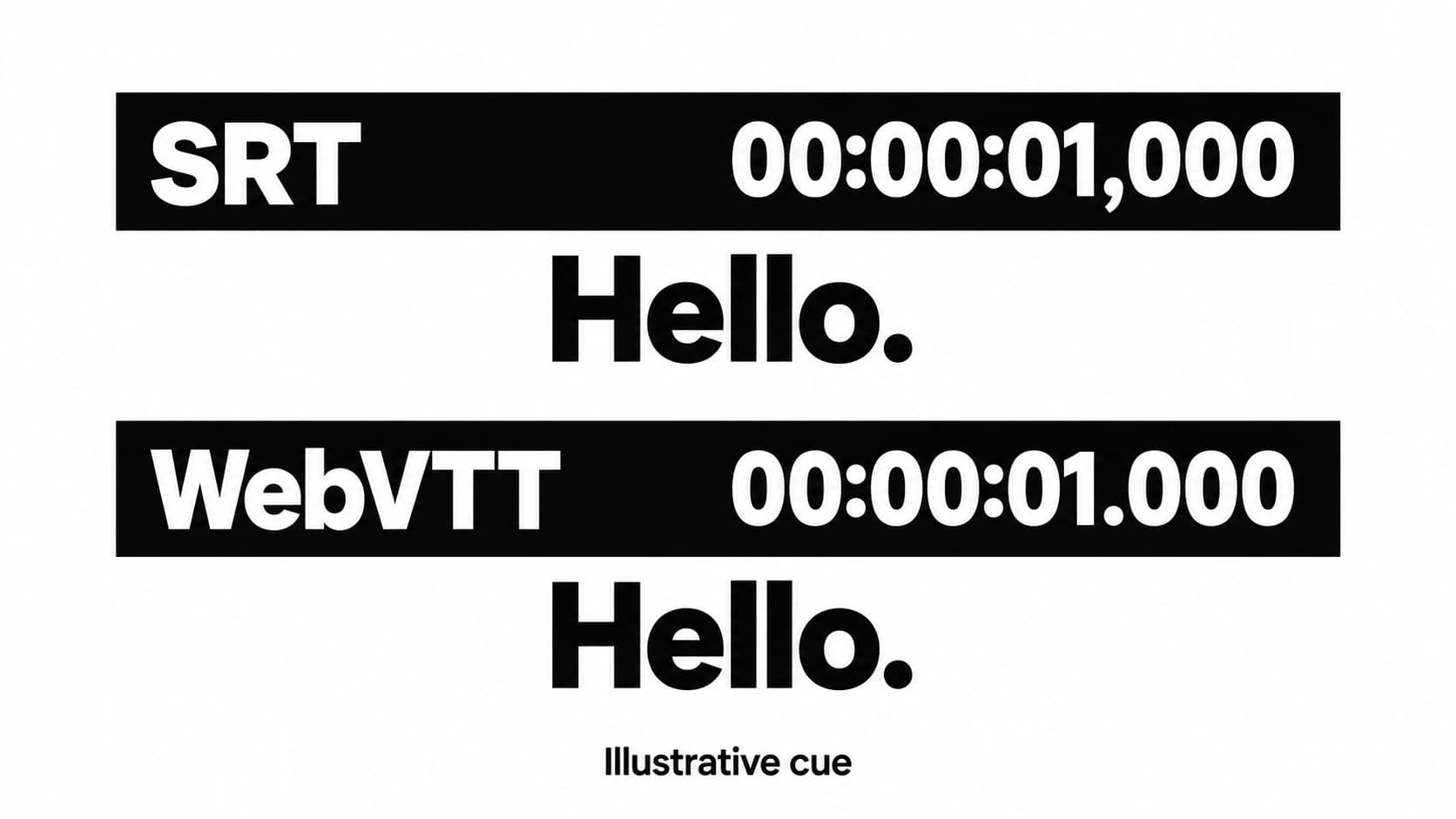
A cue is one timed segment of subtitle text. These original, synthetic examples display the same sentence from 1.250 seconds to 3.500 seconds.
SRT (example.srt):
1
00:00:01,250 --> 00:00:03,500
Please close the blue door.
WebVTT (example.vtt):
WEBVTT

00:00:01.250 --> 00:00:03.500
Please close the blue door.
| Part of the file | SRT | WebVTT |
|---|---|---|
| File header | No WEBVTT header | Starts with WEBVTT, followed by a blank line in this example |
| Cue identification | Sequential number above the timing line | Optional cue identifier; omitted here |
| Milliseconds | Comma: 01,250 | Period: 01.250 |
| Time expression | Hours, minutes, seconds, milliseconds | Same full form works; hours can be omitted for times below one hour |
| Cue boundaries | Blank line between cues | Blank line between cues |
The Library of Congress SRT description documents SRT's numbered blocks and comma timestamps. MDN’s WebVTT format reference explains its header, optional identifiers, and period timestamps. Save WebVTT as UTF-8 text.
Both examples express millisecond timing. The punctuation change does not make VTT more accurately synchronized: the cue starts and ends at the same moments.
In a local syntax check, FFprobe read one subtitle packet from each example, with a start time of 1.250 seconds and a duration of 2.250 seconds. Reading the unchanged SRT bytes as WebVTT returned zero packets. This checks these tiny examples only; it does not establish playback or upload compatibility.
Styling and speaker information can be lost
SRT is not universally restricted to unformatted text. The Library of Congress describes limited HTML-derived formatting and notes that rendering depends on the application. YouTube's refusal to recognize SRT markup is one destination's behavior, not a rule for every SRT player.
WebVTT has defined cue settings and voice annotations. For example, this original cue attaches a speaker name to the sentence and requests left alignment:
WEBVTT

00:00:01.250 --> 00:00:03.500 align:left
<v Maya>Please close the blue door.
The W3C's cue examples show voice spans and positioning. Here, Maya is an annotation; it is not ordinary subtitle text spelling out “Maya:” on screen.
If you convert this cue to plain SRT, decide how to preserve the speaker's identity. When viewers need the name, you can write Maya: Please close the blue door. as visible text. That is an editorial change, so review whether the added label fits the cue's display time. Do not assume a converter will make that decision for you.
Likewise, inspect any file containing WebVTT style blocks, regions, comments, or chapter/metadata content before converting it to SRT. Those structures are not interchangeable with ordinary numbered subtitle blocks. Keep the richer source file so a simplified delivery copy does not become your only copy.
Convert the contents, then review the timing
Renaming captions.srt to captions.vtt changes the filename alone. It does not add the WebVTT header or rewrite timestamps. A program that guesses the original format might still open it, masking the mismatch until delivery.
For the plain one-cue example above, conversion to WebVTT means adding WEBVTT and its following blank line, changing the timestamp commas to periods, and retaining the text and times. The number can be omitted, as shown, or retained as a cue identifier. Change punctuation in the timing lines only: replacing every comma in the file would also alter the dialogue.
For a full subtitle file, use your subtitle editor’s export or conversion command. Keep the original, then inspect the converted result for missing cues, changed speaker labels, and lost positioning. Converting VTT back to SRT also requires SRT timing syntax and sequential cue numbers; merely deleting the header is insufficient.
If you only have plain transcript text, for example from the workflow in the audio-file transcription guide, format conversion cannot supply the missing cue times. Divide the text into subtitle cues and align their start and end times with the recording.
Finally, play the delivery file with the exact video edit it accompanies. A cut made after subtitle timing was set can leave otherwise valid cues out of sync. Watch the beginning, an edited transition, and the end to find obvious shifts, then review the full track before delivery. Correct those offsets in the subtitle editor before handing over the file.