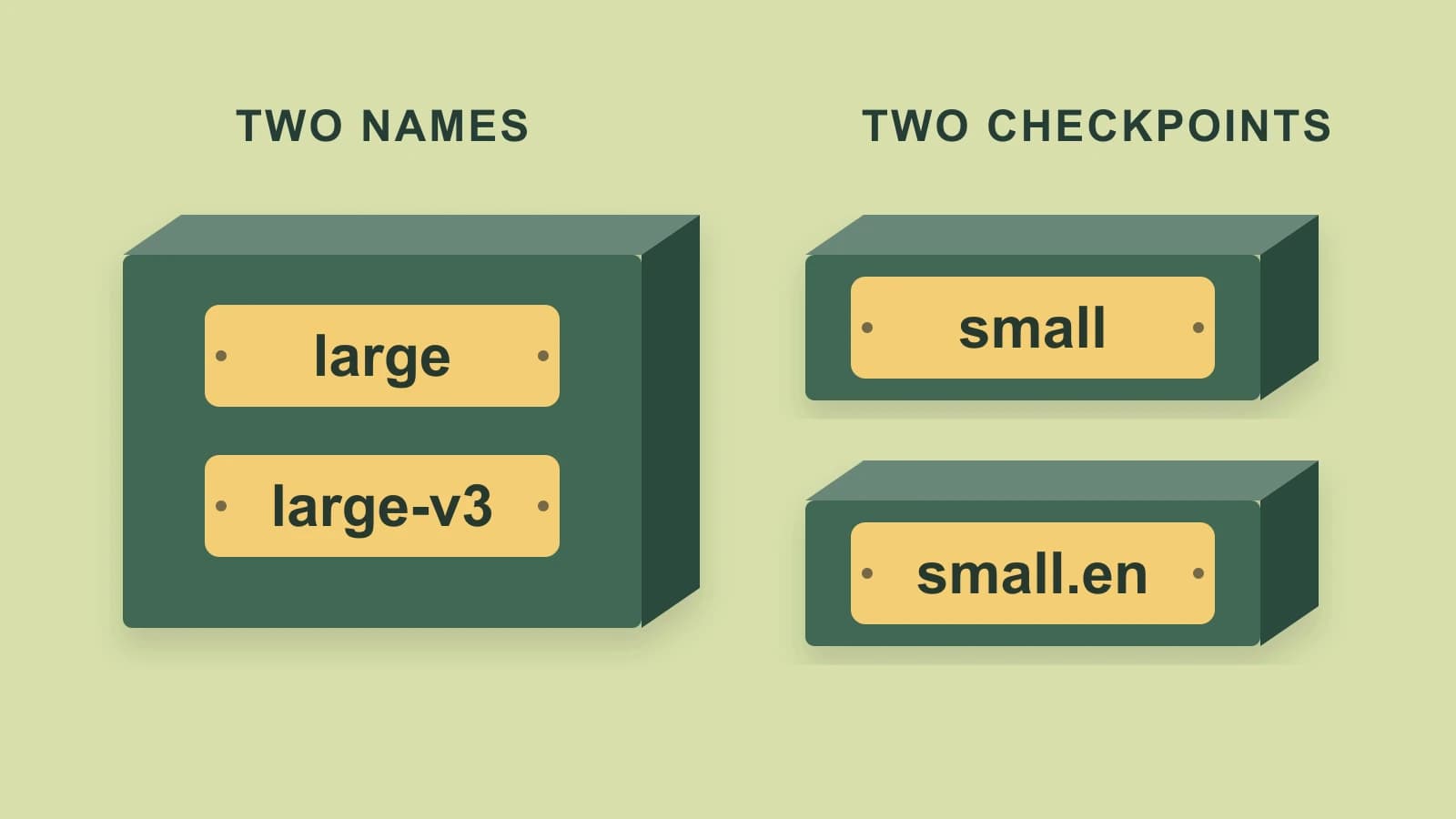
For a useful Whisper models comparison, choose the language variant and size family, then check the exact checkpoint name. In OpenAI’s current reference loader, large and large-v3 identify the same checkpoint URL, while small and small.en identify different checkpoints.
That distinction can save you a duplicate comparison. A menu with more names does not necessarily offer more independent models, and an English-only suffix changes more than the label shown beside a download.
About this comparison: We sell the Mac dictation app discussed below and are not affiliated with or endorsed by OpenAI. Last checked: October 27, 2026. The comparison uses current primary documentation and a static inspection of the reference loader; it reports no model runs or performance measurements.
Compare the family and language variant first
OpenAI’s available-model guidance distinguishes six size families. Four have both an English-only checkpoint and a multilingual counterpart.
| Family | Reference checkpoint choices |
|---|---|
| Tiny | English-only tiny.en; multilingual tiny. |
| Base | English-only base.en; multilingual base. |
| Small | English-only small.en; multilingual small. |
| Medium | English-only medium.en; multilingual medium. |
| Large | Multilingual versioned checkpoints: large-v1, large-v2, large-v3. The current large alias selects large-v3. |
| Turbo | Multilingual large-v3-turbo, also named turbo in the reference loader. No .en counterpart is listed. |
For speech that is not English, choose a multilingual candidate rather than its .en sibling. For English-only input, the English-specific variants are relevant candidates. OpenAI says its English-only variants tend to perform better for English, especially at Tiny and Base; it describes a smaller difference at Small and Medium. That is upstream guidance, not an accuracy result for your recording or application.
The size families also describe different model scales. OpenAI’s table lists 39 million parameters for Tiny, 74 million for Base, 244 million for Small, 769 million for Medium and 1,550 million for its Large entry. These counts describe the models; they are not download sizes or minimum Mac memory.
Use the requirements of your intended runtime to decide which candidates your machine can run. OpenAI’s GPU-memory and relative-speed table concerns its reference setup, with speed measured on English speech on an NVIDIA A100. It does not tell you how much unified memory a particular Mac app needs or which model finishes first in that app.
Separate version names from aliases
The _MODELS dictionary in OpenAI’s loader makes the naming distinction concrete. A static inventory of the file checked for this article contains 14 accepted names and 12 distinct checkpoint URLs.
Two pairs share a destination:
| Names | What the captured reference loader selects |
|---|---|
large and large-v3 | The same large-v3.pt checkpoint URL. |
turbo and large-v3-turbo | The same large-v3-turbo.pt checkpoint URL. |
An alias is another name for a checkpoint in that loader. It is not an intermediate model size. By contrast, large-v1, large-v2 and large-v3 are distinct versioned entries. large-v3 and large-v3-turbo are also separate entries, despite sharing much of their names.
If a comparison says only “Large,” establish which version it means. For a reproducible selection record, keep the exact versioned name and the runtime or source revision, rather than assuming a generic alias means the same thing in every package release.
The URL inventory establishes how this captured loader resolves its names. It does not establish that every hosted service, converted model, quantized download or desktop app uses the same aliases. Check the implementation you intend to use before applying the equivalence elsewhere.
Six menu labels can leave four real candidates
Consider this illustrative menu, assembled from the documented names. It is not a screenshot or a performed model comparison:
large
large-v3
turbo
large-v3-turbo
small
small.en
If those labels use the captured reference loader’s mappings, collapse the first pair and the second pair. You have four distinct checkpoint destinations: Large v3, Large v3 Turbo, Small multilingual and Small English-only.
For an English-only recording, small versus small.en is a real candidate comparison: the checkpoints and their language scope differ. large versus large-v3 is not a comparison of different weights under these mappings. Different results from two runs would require looking beyond the alias itself, including settings and the surrounding software.
Now suppose the recording is in Spanish. Remove small.en from that shortlist because it is the English-only variant. The alias pairs still collapse in the same way. The remaining decision is among three supported multilingual checkpoint destinations, not five merely because five menu labels remain.
This does not identify a quality winner. It identifies which comparisons would actually involve different checkpoints. Once you have that shortlist, the turbo runtime and output guide covers the separate decision of how to run a selected model and obtain the transcript or timing information you need.
Choose a runtime that exposes your selected checkpoint
If you need to choose among the full reference catalog, start with a runtime that exposes those exact names. OpenAI’s reference implementation loads a named model; its source also shows that available_models() returns the dictionary’s names. A desktop menu containing “Whisper” alone does not establish access to every size or .en variant.
For example, a requirement for base.en cannot be met by selecting a multilingual turbo model and changing the application’s display language. Likewise, an older result labeled large-v2 should not silently become a large-v3 comparison because both are described as Large.
Task support still matters after choosing the checkpoint. Turbo is a transcription option; OpenAI explicitly excludes it from its translation recommendation. If the task is speech-to-English translation, follow that documented task guidance rather than choosing on a name or size alone. The linked turbo guide explains this boundary in detail. For a choice between model families, use the separate Parakeet versus Whisper comparison.
When the selected checkpoint is turbo on a Mac
We develop and sell Paraspeech. In its released Mac 1.7.3, build 372, the active WhisperKit registry maps Multilingual Large to openai_whisper-large-v3_turbo. That provides an application route for this one compared candidate, rather than a menu for the full upstream catalog.
The route supports file transcription and completed recordings on an eligible direct-download Apple silicon Mac, with eligible access and the model downloaded and ready. The App Store distribution excludes this helper-dependent runtime. Intel cloud options do not establish that the same local Whisper route is available there. These are released-source facts, not a native speed or recognition test.
Choose another runtime when you need a .en checkpoint, a smaller Whisper size, an older Large version or arbitrary checkpoint control. A single supported turbo choice is useful when turbo is already the model you want; it cannot perform the within-Whisper comparisons above for you.
Also keep the speech model separate from optional text rewriting and any allowed cloud fallback. Selecting a local model name does not prove which backend handled a particular run or that the whole workflow stayed local. Check the Mac model setup if this supported turbo application route matches your choice.