To dictate names and technical terms on Mac with Paraspeech, turn a recurring mistake into a manual Dictionary rule. Add the form Paraspeech currently produces as Original, enter the exact text you want as Replacement, then dictate the term in a normal sentence and inspect the result.
The Dictionary handles explicit word replacements. It does not remove the need to check names, acronyms, numbers, or specialist terms against an authoritative source. Use the rule for a correction you have actually seen, and use the keyboard when a token must be character-perfect.
Add a Manual Dictionary Rule
Open Paraspeech and follow the current Word Replacements documentation:
- Open Dictionary.
- Select Add Rule.
- Enter the text you want Paraspeech to find in Original.
- Enter the exact text it should use in Replacement.
- Turn on Case Sensitive only when capitalization in the Original field must match before the rule applies.
Start with one observed correction. If a transcript repeatedly contains kestrel cash but the term should be Kestrel Cache, use those as the Original and Replacement values. If the same words can be correct in another context, make the rule more specific or keep that correction manual. A broad replacement can change text you intended to keep.
| Recurring output | Replacement | What to decide before saving |
|---|---|---|
nadiya voss | Nadiya Voss | Is this spelling always correct for that phrase? |
qlr seven | QLR-7 | Could the spoken phrase refer to something else? |
kestrel cash | Kestrel Cache | Is a longer Original needed to avoid changing ordinary uses of “cash”? |
api | API | Should matching depend on the Original field's capitalization? |
The examples are fictional. Build rules from the output you see in your own work, not from guesses about how a term might be transcribed.
Prepare the Terms That Matter in This Draft
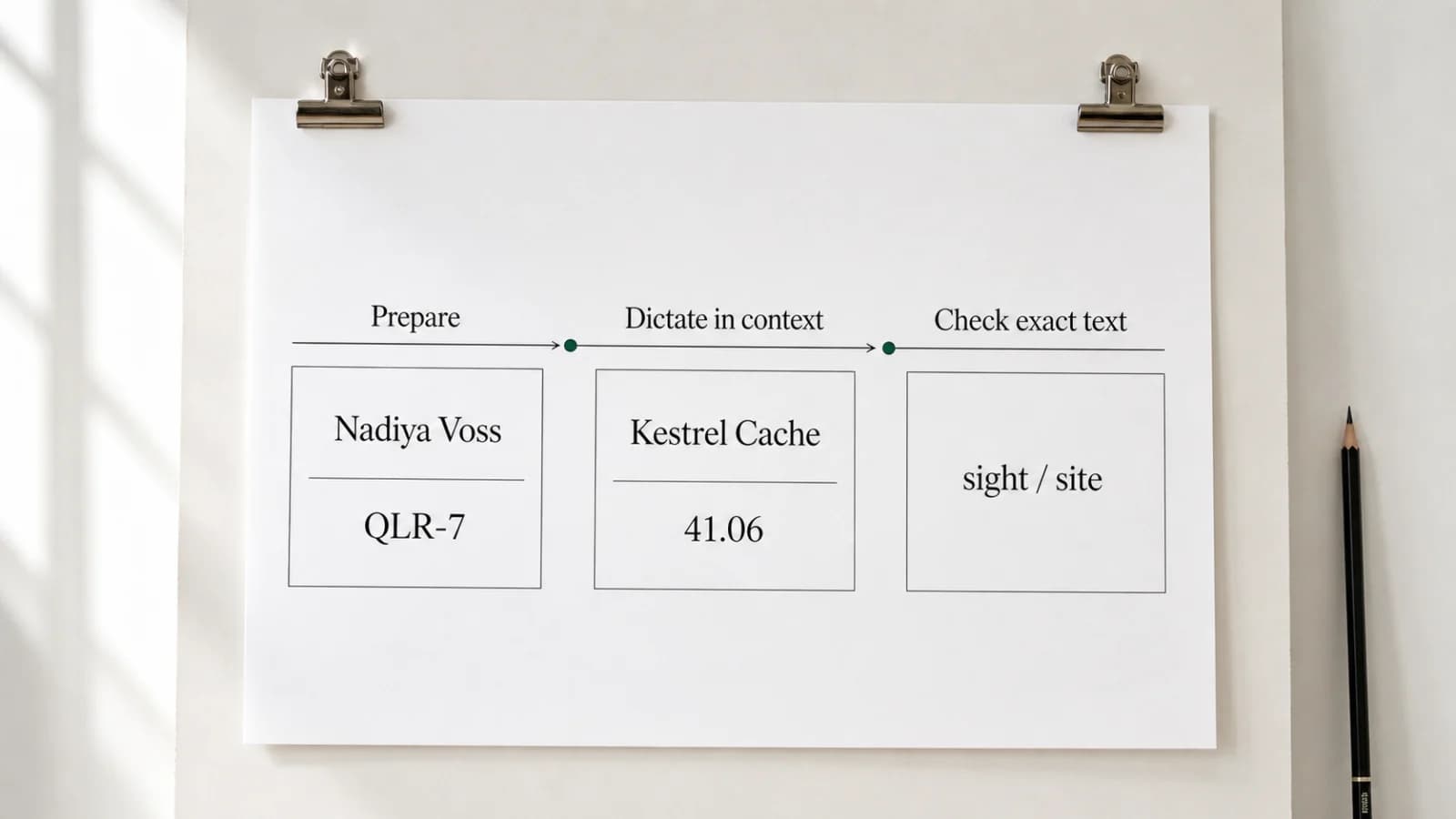
Before dictating, make a short reference sheet for the current task. Include the exact spelling, one context sentence, and the kind of error that would change the meaning. Five relevant terms are more useful than a large glossary you will not check.
| Exact text | Context sentence | Review target |
|---|---|---|
| Nadiya Voss | “Nadiya Voss approved the Kestrel brief.” | Every letter and both capital letters |
| QLR-7 | “The QLR-7 report is ready.” | Letter order, capitals, and hyphen |
| 41.06 | “The recorded value is 41.06 units.” | Decimal point, digits, and unit |
| sight / site | “The north site remains in sight.” | Which spelling belongs in each position |
For a name, use the person or organization's own spelling as the source. For a product term, use current documentation. For a number, keep the original record beside the draft. The reference sheet tells you what to verify even when a Dictionary rule appears to work.
Test the Target Field with Harmless Text
Paraspeech inserts text at the cursor in supported editable fields; it does not claim a direct integration with every app, browser, or custom editor. Before using a real name or sensitive document, place the cursor in the intended field and dictate a harmless sentence such as “The sample note is ready.”
Continue only if the words land in the correct field and remain editable. Delete the test sentence, then dictate one normal sentence containing a prepared term. Stop at the sentence boundary and inspect the term before moving on.
This short test separates two questions: whether the field accepts inserted text, and whether the term needs a Dictionary rule or manual correction. Repeating the same term several times does not verify its spelling.
Dictate in Context, Then Check the Exact Token
A full sentence gives the term useful context, but the final text still needs a source check. Review each kind of token for its most likely failure:
| Term type | Dictation move | Exact review |
|---|---|---|
| Name | Say the full name inside a normal sentence | Compare every letter with the person's or organization's spelling |
| Acronym | Say the letters with the surrounding phrase | Check letter order, capitals, separators, and plural form |
| Number | Include the unit, date, or measurement | Read every digit, sign, decimal, and unit against the source |
| Homophone | Use a sentence that makes the meaning clear | Inspect the written word rather than relying on how it sounds |
| Specialist term | Pair it with a nearby concept from the same subject | Compare it with current owned documentation or a trusted glossary |
After the first pass, search the document for the expected term and the mistaken form from the Dictionary rule. If both appear, inspect each occurrence in context instead of replacing everything blindly.
For code-adjacent terms, commands, paths, and identifiers, the broader Dictation for Developers on Mac guide uses the same division of work: dictate explanatory prose, then type or paste syntax that must match exactly.
Choose a Rule, a Manual Correction, or the Keyboard
Use a Dictionary rule when the same wrong output recurs and the replacement is unambiguous. Correct the text manually when the term is rare or the Original phrase has several valid meanings. Type or paste the token when one wrong character would make the draft unsafe or unusable.
| Situation | Best next step | Reason |
|---|---|---|
| The same name is repeatedly lowercased | Add a manual Dictionary rule | The Original and Replacement are clear and reusable |
| A homophone changes meaning by sentence | Correct each occurrence in context | A global rule could damage valid uses |
| A path, command, key, serial number, or access token must be exact | Type or paste it from the trusted source | Dictation plus later review adds avoidable character risk |
| A technical term appears once | Correct it manually | A permanent rule adds setup without a recurring benefit |
Do not put passwords, recovery codes, private keys, or access tokens into a dictation test. Keep secrets in the system that owns them.
Questions About Names and Technical Terms
Where do I add a word-replacement rule in Paraspeech?
Open Dictionary, select Add Rule, enter the observed text in Original, and enter the desired form in Replacement. Enable Case Sensitive only if the Original field's capitalization should affect matching.
Should I create a rule before I have seen an error?
Usually no. Dictate a low-consequence sentence first, inspect the actual output, and add a narrow rule only when the same correction is likely to recur. This avoids rules for mistakes that never happen.
Does a Dictionary rule make review unnecessary?
No. The rule handles a configured text replacement. Check the final name, acronym, number, or technical term against its source before you send or publish the document.
When should I stop using dictation for a section?
Switch to the keyboard when exact tokens dominate the text or each sentence needs several character-level repairs. Dictation is most useful here when ordinary prose surrounds a smaller number of terms you can review deliberately.
Try the workflow on one low-consequence paragraph: add one narrow Dictionary rule, test the target field with harmless text, dictate the term in context, and inspect every occurrence. If that division of voice and keyboard suits your work, download Paraspeech for Mac. Writers handling recurring character and place names can also use the broader writer dictation workflow.