The best dictation software for writers is the one that fits the way you actually draft. Start with the place your words need to land: Scrivener, Ulysses, Google Docs, your CMS, email, or a notes app. If you write on a Mac and move between those surfaces, test Paraspeech for Mac in the exact editable fields you use and verify its clipboard fallback for unsupported fields. Supported local modes are available on Apple Silicon after setup, while eligible Intel Macs use cloud-backed subscription models.
That does not make it the best fit for every writer. Dragon Professional is still the better starting point for many Windows writers who need deep command and vocabulary control. Google Docs Voice Typing is the clean free start if you live in Google Docs. Apple Dictation is the built-in option for quick notes. Otter is better for meeting, interview, and speaker-labeled transcript work than for drafting prose into a writing app.
Last reviewed: July 27, 2026. This guide checks current Paraspeech source pages plus official pages for Dragon Professional, Google Docs Voice Typing, Apple Dictation, and Otter. It compares workflow fit, not lab accuracy scores.
We build Paraspeech, so treat this as buyer guidance rather than neutral lab testing. Features change, and your results depend on hardware, microphone quality, language, and writing style.
Quick Decision Table
| Writer workflow | First tool to test | Why | Not best for |
|---|---|---|---|
| Mac writer drafting in Scrivener, Ulysses, Word, Docs, Notion, a CMS, or email | Paraspeech | With Accessibility permission, it can insert text into many editable Mac fields; unsupported fields may require a clipboard fallback. Supported local modes are available on Apple Silicon after setup, while Intel uses cloud-backed subscription models. | Writers who need a free-only tool or a Windows-first dictation command system. |
| Windows writer with specialized commands, custom words, and long-established desktop dictation habits | Dragon Professional | Nuance positions Dragon Professional around voice command/control, custom words and vocabulary, and transcription back to the PC. | Mac writers who mainly want insertion into many editable Mac fields. |
| Writer who wants a no-cost starting point inside Google Docs | Google Docs Voice Typing | Google Docs includes voice typing and voice editing in Docs and Slides speaker notes; browser support controls speech processing. | Writers who draft outside Docs or need Mac-wide insertion. |
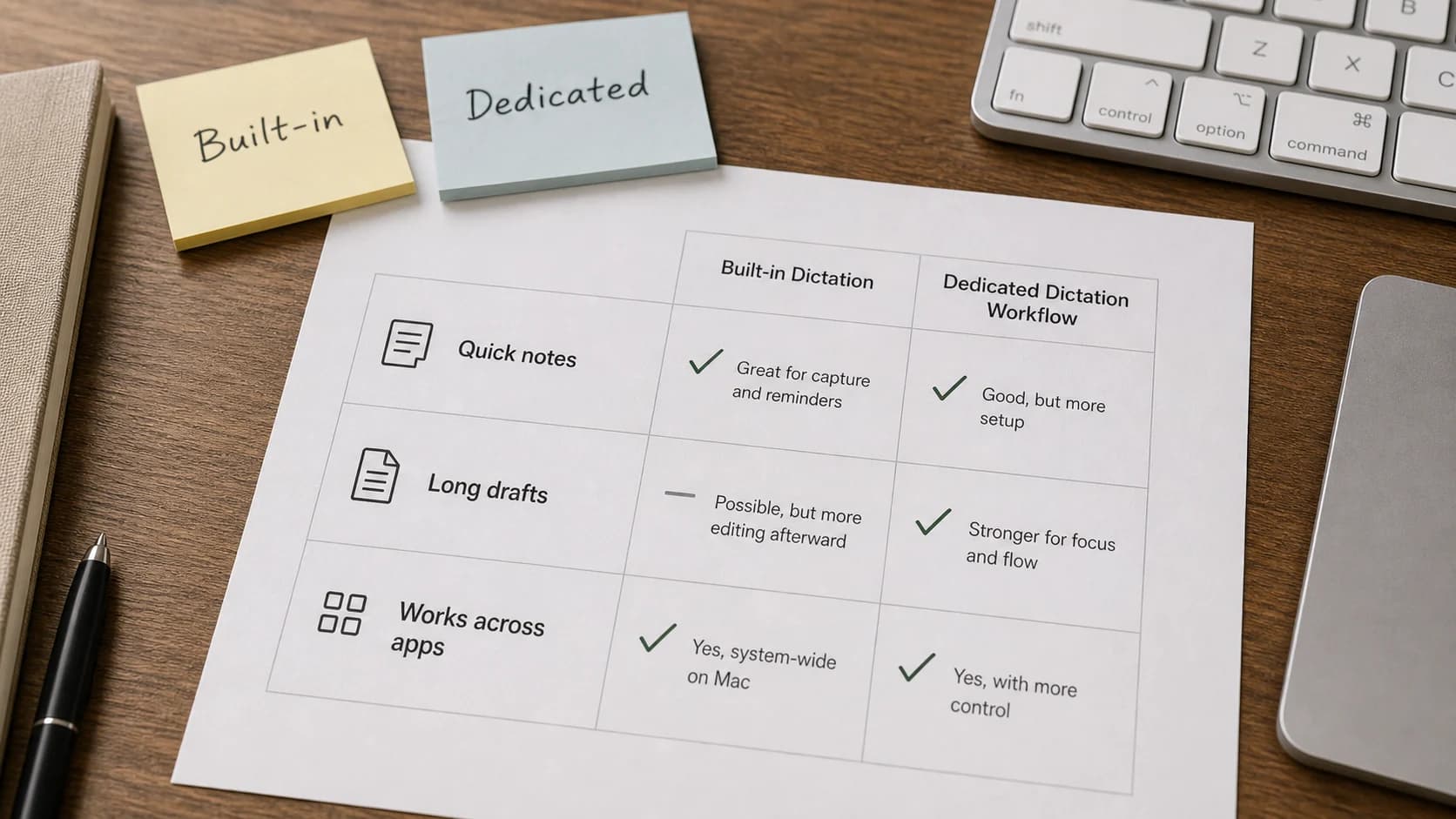
| Mac user who wants built-in dictation for short notes | Apple Dictation | It is already in macOS and works for messages, documents, and quick text fields. | Long-form writing systems that need custom writer vocabulary, repeatable replacements, or app-specific workflow control. |
| Journalist, researcher, or podcaster turning conversations into transcripts | Otter | Otter is built around real-time transcription, meetings, speaker identification, collaboration, and imported audio/video. | Drafting a novel chapter, article section, or newsletter directly into your writing app. |
Start With Where the Draft Lives
For a Mac writer in 2026, the best first test is not "which app has the biggest feature list?" It is "where will the words land?"
If the answer is "wherever I already write," Paraspeech is designed for that Mac-wide insertion workflow. The workflow is simple: place the cursor, hold your shortcut, speak, release, and edit the inserted text. That matters because writers rarely work in only one text box. A blog post might start in a notes app, move to Google Docs, get copied into a CMS, and end with a source pass in the browser.
The practical test is not a clean demo sentence. Try dictating a Scrivener scene beat, a Google Docs client intro, and a CMS meta description. If the tool keeps you in each writing surface and cleanup stays fast, it fits the writer workflow. If it makes you shuttle text through a separate editor, it may be accurate and still slow you down.
If the answer is "only inside Google Docs," start with Google Docs Voice Typing because it is free and built into the editor. If the answer is "deep Windows dictation with trained commands," start with Dragon Professional. If the answer is "meeting transcript with speakers," start with Otter. If the answer is "quick built-in Mac notes," start with Apple Dictation before paying for anything.
How to Draft Blog Posts by Talking to Your Mac
If your real question is "I need to draft blog posts just by talking to my Mac; what dictation AI apps handle long-form content accurately?", use this workflow before choosing software:
- Outline the headline, reader problem, section headings, known sources, and the decision the reader needs to make.
- Put the cursor under one heading. On Mac, test Paraspeech there if you need to dictate across writing apps.
- Dictate one section at a time: the point, one concrete example, and the transition.
- Edit immediately. Fix structure, repetition, links, and claims while the spoken idea is fresh.
- Verify URLs, quotes, pricing, dates, and product claims at the end.
For long-form blog posts, that section-by-section loop usually beats trying to dictate a complete polished article in one take. The job of dictation is to get usable raw material into the right editor. The job of editing is still yours.
For a newsletter or blog essay, use dictation for the first-pass argument, anecdotes, rough section bodies, and conversational openings. Use the keyboard for subject lines, exact names, citations, link cards, pull quotes, and final trimming. Dictation is a drafting engine, not a publishing engine.
Free and Offline Tradeoffs
Writers often mix up "free," "private," and "offline." They are separate decisions.
Google Docs Voice Typing and Apple Dictation are the obvious free starts. Use them first if you are exploring dictation, writing low-stakes drafts, or only need occasional voice typing. The tradeoff is control: Google Docs keeps you inside Docs, and Apple Dictation is best for quick built-in text entry rather than a writer-specific workflow.
Paraspeech gives you free transcriptions before you choose a plan, so it fits a practical test: can you dictate a real section into your actual writing app, clean it up quickly, and keep going? If yes, then compare plans. Current Paraspeech pricing separates subscriptions, which include cloud processing plus on-device mode, from lifetime licenses, which cover local/on-device models only.
For offline work, check hardware and runtime backends first. Supported local speech can run offline after setup on Apple Silicon Macs. On-device rewriting can also run locally only where the direct Mac distribution and current product access permit it. A selected speech mode alone does not prove where an exact session ran. Initial model downloads and cloud-backed features require internet. Intel Macs are supported with cloud-backed models on subscription; do not buy Paraspeech for offline Intel dictation. For sensitive work, confirm the active speech backend, separate rewrite backend, and whether temporary cloud speech fallback was allowed or used. The offline speech-to-text for Mac guide is the safer source to read before dictating manuscripts, client notes, or research material that should stay local.
| Paraspeech choice | Use it when | Boundary to check first |
|---|---|---|
| Apple Silicon local mode | You want eligible Mac dictation to run locally after setup. | On-device rewriting additionally requires the direct Mac distribution and current product access that provides it. |
| Cloud-backed subscription model | You accept cloud processing for Intel Mac support or broader usage. | Do not use this path for material that your policy requires to stay on-device. |
| Lifetime local/on-device licensing | You want a no-subscription local/on-device path. | Lifetime does not include cloud processing, so compare it against your actual workflow. |
Dragon's desktop products can be a better fit for some Windows writers who want a mature desktop dictation workflow. Google Docs and Otter are not the tools to choose if offline drafting is the main requirement.
Raw Dictated Draft vs Edited Writer Draft
Dictation works best when you stop expecting a finished paragraph on the first pass.
Raw dictated section:
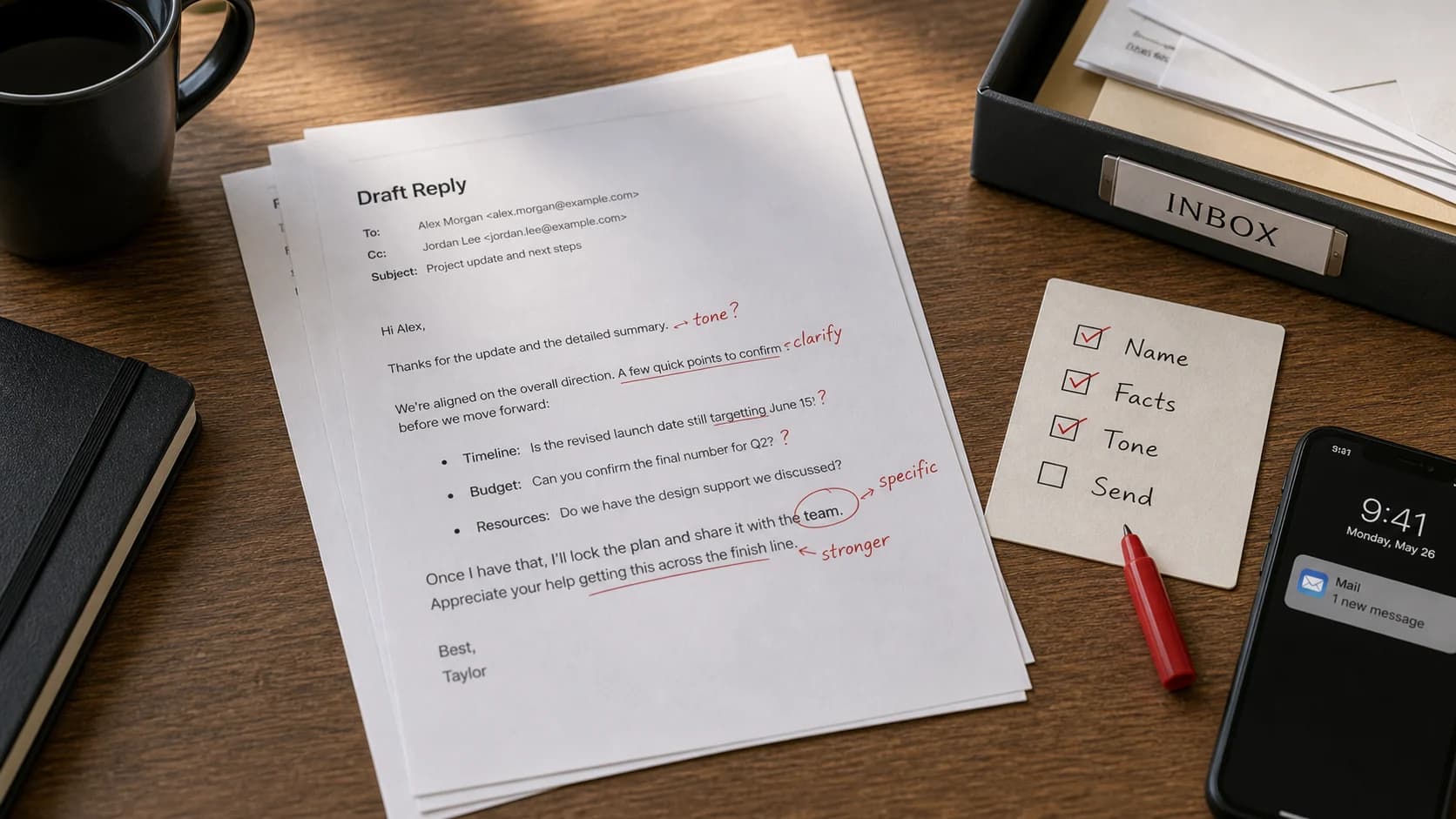
The argument here is that writers should not pick dictation software by accuracy claims alone because the place where the text shows up is the workflow and if it only works in one app then it might be fine for Google Docs but not for Scrivener or a CMS so for Mac writers system wide insertion is the test and after that you look at privacy mode vocabulary and price.
Edited section:
Do not choose dictation software by accuracy claims alone. For writers, the real test is where the text appears. A tool that works only inside one editor may be fine for Google Docs drafts, but it will slow you down if your work moves between Scrivener, a CMS, email, and source notes. Start with insertion behavior, then compare privacy modes, vocabulary control, and price.
That edit is the normal workflow: speak the argument, then shape it. Good dictation software reduces the distance between thought and draft. It does not remove the need for editorial judgment.
Here is the same idea in a newsletter-style opening:
Raw dictated opening:
I keep thinking that the real problem with AI writing tools is not that writers need more words it is that we need the first version of an argument to exist somewhere and talking through the messy version is often easier than typing it because I can hear where the idea breaks before I start polishing.
Edited opening:
Most writers do not need more words. They need a first version of the argument. Talking through the messy version can expose the weak point faster than typing because you hear where the idea breaks before you start polishing.
Workflow Notes by Writer Type
Novelist
Use dictation for scene drafts, dialogue passes, and plot notes. Keep a character-name list and fix repeated misspellings with vocabulary or word replacements when the app supports them. On Mac, Paraspeech is useful when you want to dictate directly into Scrivener, Ulysses, Word, or a plain text editor. Dragon is still a serious option for Windows novelists who want a mature command-and-vocabulary system.
For a scene pass, outline the beat first: goal, conflict, turn, exit. Then dictate only the scene body. If a character named Mara keeps becoming "mirror," add a word replacement or vocabulary rule where your tool supports it. For dialogue, expect a cleanup pass for quote marks, paragraph breaks, and rhythm. Do not try to dictate final prose while also solving structure.
Freelance Writer
For client work, the key question is not only accuracy. It is whether you can move quickly between briefs, email, Google Docs, a CMS, and notes without copying text around. Paraspeech fits this if you write on Mac and want a single shortcut across apps. A practical freelance test is to dictate a client brief response in email, draft the article intro in Google Docs, then add the CMS summary without changing dictation tools. Google Docs Voice Typing is fine if your client drafts never leave Google Docs.
Keep sensitive client claims conservative. Dictation can create confident rough copy quickly, but final client work still needs fact checks, source checks, and brand voice edits.
Academic Writer
Use dictation for summaries, literature-review notes, section explanations, and comments to yourself. Do not dictate citations as if the software will verify them. Speak the argument first, then do a citation pass with your reference manager and source PDFs open.
For a literature-review pass, dictate the claim and leave visible placeholders such as [Smith 2024 p. 14] or [verify source] instead of trying to speak perfect footnotes. Then verify names, page numbers, quotes, and source links with Zotero, your PDFs, or your reference manager open.
If local processing matters for unpublished manuscripts, grant drafts, interview notes, embargoed research, student data, patient data, or client material, use a supported local path where available and check your institution's policy before using cloud transcription. If you are on an Intel Mac and need offline local processing, Paraspeech is not the right fit for that requirement. Before sensitive dictation, confirm the Mac type, active speech backend, separate rewrite backend, internet requirement, and whether temporary cloud speech fallback was allowed or used.
Newsletter Writer
Dictation is useful for the first conversational pass: opening angle, personal observation, example, and call to action. It is less useful for link-heavy curation. A good workflow is to dictate the main essay in sections, then use the keyboard for subject lines, link cards, attribution, and final trimming.
Choose Paraspeech for newsletter drafting if you want to speak into Notes, Ulysses, Ghost, Beehiiv, Substack, Notion, Google Docs, or CMS fields. Choose Google Docs Voice Typing if Docs is the whole draft surface. Choose Apple Dictation for quick notes. Choose Otter for interviews and research calls. Choose Dragon if your writing setup is Windows and command-heavy.
Source-Bounded Competitor Notes
Dragon Professional is best treated as the command-heavy option. Nuance's official Dragon Professional page describes voice command/control, custom words and vocabulary, and supported recording transcription back to the PC. That is valuable for specialized writers, especially on Windows.
Google Docs Voice Typing is the best free editor-bound start. Google's help page says you can type and edit with your voice in Google Docs and speaker notes in Google Slides, and that browser support controls the speech-to-text service. That boundary matters: it is free, but it is not a Mac-wide writing layer.
Apple Dictation is the built-in Mac option. Apple's Mac help covers dictating messages and documents and points users to Siri, Dictation, and privacy settings. It is a good starting point for short text, not a full writer workflow system.
Otter is strongest when the input is a conversation. Otter's official feature pages emphasize real-time transcription, meetings, collaboration, speaker identification, and imported audio/video. That is different from drafting prose into your writing app.
Paraspeech should be judged on the Mac workflow it actually owns: shortcut-driven dictation into many editable fields, word replacements for repeated mistakes or phrases, and supported local and eligible cloud-backed processing paths. Eligible cloud speech—including allowed temporary fallback—or cloud rewrite transmits the content needed for that operation. The current download, pricing, and offline Mac dictation pages are the source-backed places to check hardware, local/cloud, free trial, and plan boundaries before you buy.
When Paraspeech Is Not the Best Fit
Do not start with Paraspeech if you need a free-only tool and are happy drafting in Google Docs. Start with Google Docs Voice Typing.
Do not choose Paraspeech for offline Intel Mac dictation. Intel Macs are supported through cloud-backed subscription models, not offline local models.
Do not choose Paraspeech as a meeting-transcript system if your main job is speaker labels, shared meeting notes, and imported Zoom-style recordings. Otter is built closer to that workflow.
Do not choose Paraspeech because you expect dictation to produce finished prose. It is designed as a Mac-wide drafting layer. You still need an edit pass.
Do not choose Paraspeech if your whole writing setup is Windows and you need deep Dragon-style command workflows. Dragon Professional is the more natural starting point.
Dictate when the next sentence is clear but your hands are slowing you down. Type when the text depends on exact spelling, syntax, or private details you do not want spoken aloud.
A Practical Mac Test Before You Commit
Try this with any dictation tool you are considering:
- Open the real app where you write.
- Draft a 300-word section from a short outline.
- Include one proper noun, one heading, one quotation placeholder, and one link note.
- Time the cleanup, not the dictation.
- Ask whether the tool kept you in the writing app or forced you into a side workflow.
Also test noise and microphone placement. Speaking into a laptop microphone in a quiet office is different from speaking through earbuds in a shared room.
If you are testing Paraspeech, use your free transcriptions on that exact task. On a supported Apple Silicon Mac, test a local mode after setup for sensitive or offline-friendly work. On Intel, test the cloud-backed subscription path and decide whether that tradeoff is acceptable.
FAQ
What is the best dictation app for writers?
For Mac writers who want text inserted into many editable fields, test Paraspeech in the apps they actually use and verify the clipboard fallback for unsupported fields. For Windows writers who need mature command control, start with Dragon Professional. For free Google Docs drafting, start with Google Docs Voice Typing. For meeting transcripts, start with Otter.
What is the best speech-to-text software for writers in 2026?
In 2026, the best choice depends on workflow more than category label. Test Paraspeech for Mac-wide drafting, Dragon for command-heavy Windows dictation, Google Docs Voice Typing for a free editor-bound option, Apple Dictation for the built-in Mac start, and Otter for conversations and transcripts.
What is the best free text dictation software?
Start with Google Docs Voice Typing if you write in Google Docs. Start with Apple Dictation if you want built-in Mac voice typing for quick text. If you want to test a dedicated Mac workflow, Paraspeech includes free transcriptions before you choose a plan.
What is the best offline dictation software in 2026?
For Paraspeech, offline depends on hardware and the effective runtime backends. Supported local speech can run offline after setup on Apple Silicon Macs. On-device rewriting can also run locally only where the direct Mac distribution and current product access permit it. Intel Macs use cloud-backed subscription models, so Paraspeech is not an offline Intel recommendation. Verify the active speech backend, separate rewrite backend, and temporary speech-fallback state for an exact locality claim. Windows writers should check Dragon's current product docs before choosing it for any local or offline requirement.
Can I draft blog posts just by talking to my Mac?
Yes, but use a section workflow: outline first, dictate one section, edit with the keyboard, then do the source and link pass. Paraspeech is worth testing first on Mac if you want that text to appear in your existing editor, CMS, notes app, or browser field.
Do writers use dictation for final drafts?
Usually not by itself. Dictation is strongest for raw drafting, scene passes, notes, and first explanations. Final drafts still need keyboard editing, structure, source checks, and style decisions.
Is Dragon better than Paraspeech?
For some writers, yes. Test Dragon Professional if you use Windows and need deep voice commands and vocabulary control. Test Paraspeech if you write on Mac and want insertion into many editable fields, a clipboard fallback for unsupported fields, and supported local modes without moving writing into a single editor.
Try the Real Writing Task
The cleanest test is not a demo sentence. Open your actual writing app, draft one real section by voice, and measure the cleanup. If you write on Mac and want dictation across apps, download Paraspeech and use the free transcription path on that task. Check pricing only after you know whether the workflow fits.
For setup details, read the Mac speech-to-text guide. For local mode constraints, read the offline speech-to-text for Mac guide.