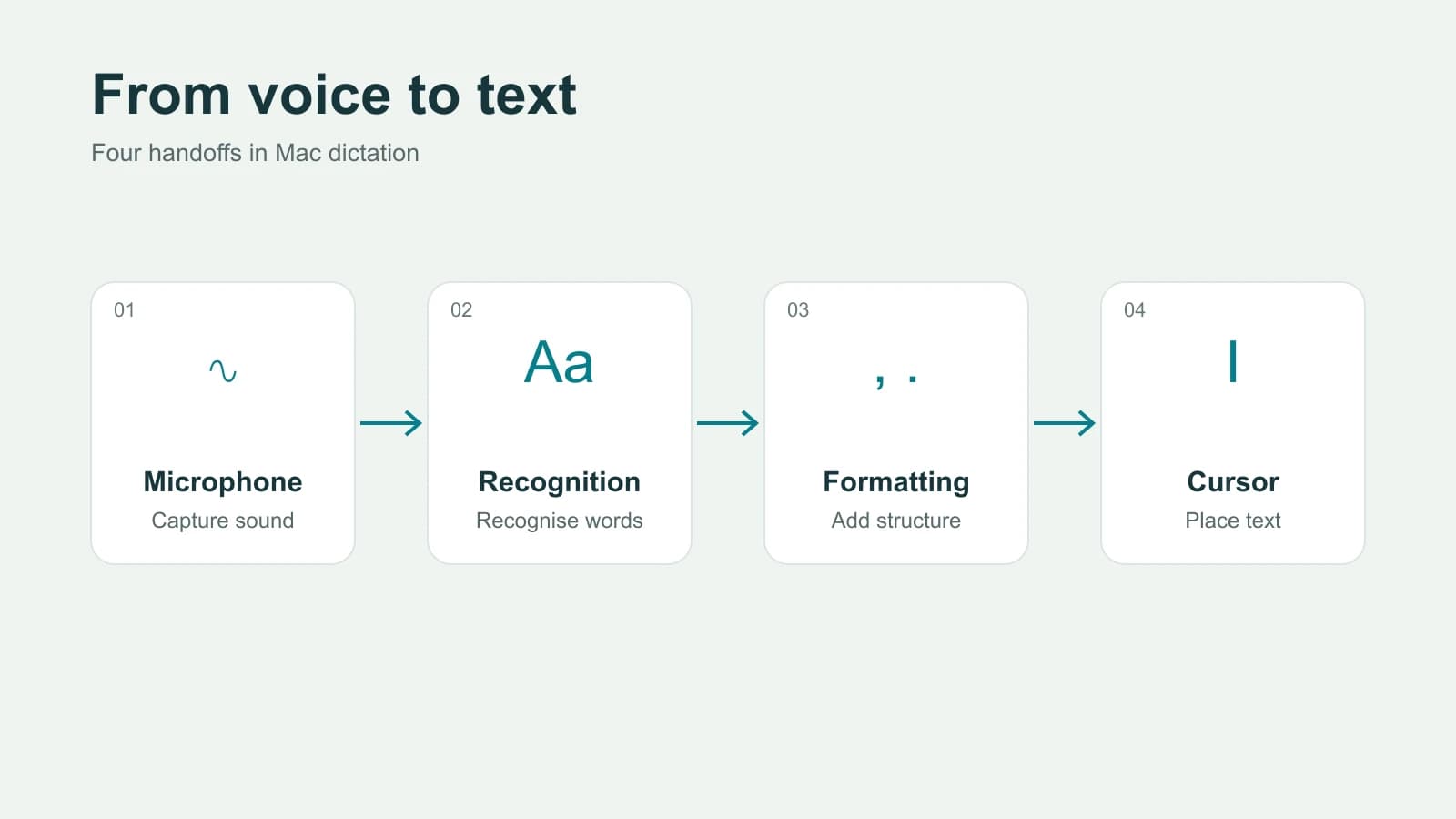

To take notes faster, you need a fundamental shift in your thinking. It's not about transcribing every single word. Instead, you need to actively listen for and capture the most important ideas. This means adopting a structured system like the Cornell Method, using transcription tools to create a reviewable draft when you need one, and mastering keyboard shortcuts to cut down on wasted movement. Start with one method and compare how easily you can review the notes afterward.
Why Your Current Note-Taking Method Is Slowing You Down
Ever feel like you're perpetually behind in a lecture or scrambling to keep up during a fast-paced meeting? If your hand is cramping or your fingers can't fly across the keyboard fast enough, you're not alone. The problem usually isn't your physical speed - it's your strategy. Many of the most common note-taking habits are just plain inefficient and create more work down the road.

The instinct to write down everything is a massive bottleneck. When you try to capture every word, you turn yourself into a court stenographer. This forces you to focus entirely on transcription, leaving zero brainpower for actual comprehension. You end up with pages of text but very little real understanding of the core message, making it a nightmare to review your notes later.
The Speed Mismatch Problem
At its heart, the issue is a simple mismatch: conversation and lecture speech can outpace comfortable note-taking. Trying to capture every sentence verbatim creates a backlog, half-finished thoughts, and chaotic notes. The useful response is not to chase a universal words-per-minute target; it is to summarize the speaker's ideas and mark anything that needs fuller review later.
This gap puts you in a constant state of catch-up, making it nearly impossible to process and organize information as it’s being shared. Without a system, your notes quickly become a jumbled stream of consciousness that’s almost impossible to use later.
The goal isn't to create a word-for-word transcript of a conversation. It's to build a useful, scannable record of the most important information, conclusions, and action items.
To really see the difference, let’s look at the habits holding you back versus the new workflows we’re going to build.
| Slow Method (The Problem) | Fast Method (The Solution) |
|---|---|
| Writing down every word (verbatim) | Listening for key ideas and summarizing |
| Using long, full sentences | Using bullet points, abbreviations, and symbols |
| Having no pre-planned structure | Using a proven template (e.g., Cornell, Outline) |
| A recording that needs a first transcript | Automated first drafts, followed by audio review |
| Clicking through menus for formatting | Mastering keyboard shortcuts for everything |
| Starting with a blank slate every time | Creating and using pre-made templates |
Changing these habits is the key. It's about shifting from brute-force transcription to a more strategic, efficient approach.
Common Habits That Sabotage Speed
Many well-intentioned habits actually work against your goal of taking faster notes. Recognizing these patterns in your own workflow is the first step toward fixing them.
Do any of these sound familiar?
- Trying to write in perfect, full sentences: This is a huge time-waster. Your goal is to capture ideas, not win a grammar award.
- Using inefficient tools: A pen that skips, a clunky app, or a disorganized notebook all add friction and slow you down.
- Failing to prepare beforehand: Walking into a meeting or lecture cold means you spend precious time trying to grasp basic concepts instead of noting key insights.
- Multitasking while taking notes: Trying to check emails or slack messages splits your focus, guarantees you'll miss crucial points, and forces you to ask people to repeat themselves.
Ultimately, these slow methods force you to re-process everything later, essentially doubling your workload. The secret to taking notes faster is adopting systems and tools that close the gap between listening and capturing.
Find a Note-Taking System Built for Speed
To get faster at taking notes, you need more than just quick fingers - you need a framework. A solid note-taking system acts like a blueprint for information, letting you capture and organize ideas in one fluid motion without breaking your concentration.
Scribbling points randomly on a page feels fast in the moment, but it just creates a chaotic mess you have to sort out later, which kills your momentum.
When you adopt a proven system, you eliminate the mental drag of figuring out how to write things down. It gives you a consistent structure that your brain learns to follow automatically. This is the real secret to boosting both your speed and your understanding: shifting from just passively writing to actively organizing.
The Cornell Method: Perfect for Active Recall
The Cornell Method is a classic for a reason - it’s simple and incredibly effective. You just divide your page into three sections: a wide column on the right for your main notes, a narrower "cues" column on the left, and a summary box at the bottom. This layout immediately changes how you listen and process information.
During a meeting or lecture, you jot down your raw notes in the main column. Right after, you review and pull out key terms, questions, or big ideas into the cues column. This small step forces you to distill the information, which is a lot faster than re-reading pages of notes later.
This method transforms your notes into an active study tool. Just cover the main notes section and try to recall the details using only your cues. You’re actively quizzing yourself, which does wonders for retention.
The Outline Method: Your Go-To for Hierarchy
When you’re dealing with structured information - like a project plan with clear topics and subtopics - the Outline Method is easily the fastest way to go. It uses simple indentation to build a natural hierarchy, making the relationships between different points obvious at a glance.
Picture yourself in a fast-paced team meeting. You can capture the main topic as a top-level bullet. As people add details, tasks, or follow-up points, you just indent them underneath. It’s that simple.
- Main Project Goal
- Phase 1
- Task A
- Task B
- Phase 2
- Dependency on Task A
- Phase 1
This nested structure is super intuitive and needs almost no formatting while you’re trying to keep up. It’s perfect for capturing complex discussions without falling behind because the structure itself tells the story.
Mind Mapping: Ideal for Visual and Creative Thinking
For brainstorming sessions or when you're exploring complex, interconnected ideas, nothing beats Mind Mapping. It frees you from the linear, top-to-bottom format of traditional notes. You start with one central idea and then branch out with related concepts, using lines, colors, and keywords to visualize the connections.
This visual approach is often much quicker for capturing the big picture than trying to shoehorn tangled thoughts into a neat outline. It actually mirrors how our brains naturally make associations, which is a skill that can help you become a more efficient worker in general. If you want to dive deeper into this, check out our guide to increase your work efficiency.
Compare note-taking methods on the same kind of task. Check whether you can find the main point, recall the supporting detail and identify what remains uncertain.
Ultimately, the best system really depends on the situation, so don't be afraid to experiment and see which one clicks for you.
Using Technology to Capture Information Instantly
Your tech stack can be your secret weapon for taking notes faster, but only if you think beyond just opening a blank document. Modern tools are built to do the heavy lifting for you, freeing you up to focus on understanding the conversation instead of just writing it down.
If you want to test a transcription-first workflow for permitted meeting or lecture recordings, start with the Paraspeech download. Review a short sample against the audio before relying on a full recording.
Let AI Handle the Transcription
If a recording is permitted, a transcription-first workflow lets you review the spoken detail afterward.
Use a supported recording or file workflow to create a draft transcript, then check the words against the recording. Keep your own short notes for observations, decisions or passages that need review. The audio-file guide explains the file route.
Record and Timestamp for Effortless Recall
So many great note-taking apps like OneNote, Evernote, and Notion have built-in audio recording features that most people never touch. It’s a huge missed opportunity. If you're new to some of these more advanced tools, it's worth understanding what Notion is and how it works because it can completely change how you organize information.
With permission to record, try this workflow:
- Hit Record: After permission is agreed, start recording in your notes app.
- Timestamp Key Moments: Instead of writing out full sentences, type the timestamp next to a critical point. For example:
[14:32] John confirms Q3 budget. That's it. - Review with Context: Later, you can jump to that moment in the recording to hear the explanation again. This allows you to capture the discussion more accurately without trying to transcribe everything in real time.
This hybrid approach gives you the best of both worlds: the original recording paired with brief, scannable notes.
This isn't just about capturing audio; it's about creating a rich, multimedia document. You can pair your timestamped notes with screenshots, links, and checklist items, all in one place.
Use Text Expansion to Automate Repetitive Phrases
Think about how many times a day you type the same things over and over again. Project names, email sign-offs, complex terminology, meeting agendas... it adds up. Text expansion software is a game-changer here. It turns a short, simple abbreviation into a full block of text automatically.
Imagine typing ;meet and watching it instantly become: "Following up on our meeting, the key action items are..." Or using ;proj to insert the full, complicated name of that project you’re always referencing.
- For Students: This is perfect for complex scientific terms, historical dates, or common formulas you have to type constantly.
- For Professionals: You can automate replies to common questions, create project status templates, or quickly insert boilerplate legal language.
By building a library of these little shortcuts, you can save yourself thousands of keystrokes. It’s one of the most direct and powerful ways to speed up your digital note-taking. And if you’re building that workflow around lectures, seminars, or research-heavy study sessions, the Paraspeech education page explains the student discount and academic-use path.
Essential Keyboard Shortcuts to Boost Your Speed
Want to know the real secret to taking notes faster on a laptop or computer? It's simple: keep your hands glued to the keyboard.
Every single time you reach for the mouse to click a button or move your cursor, you’re breaking your focus and bleeding precious seconds. Getting a handle on a few key shortcuts is one of the fastest ways to level up your entire note-taking game.
We’re not just talking about the basics like copy and paste, either. Think about the tiny actions you do over and over again - making a bulleted list, bolding a crucial term, or jumping to the end of a sentence. All of these can be done in a fraction of a second, without ever breaking your typing rhythm.
Keyboard Shortcuts for Common Editors
Shortcut conventions differ by operating system and app. The formatting commands below are common, while navigation differs between macOS and Windows. Check your editor's shortcut documentation if one behaves differently.
Getting these into your muscle memory will pay off immediately.
-
Text Formatting:
- Bold:
Cmd/Ctrl + B– The quickest way to make key terms or headings pop. - Italicize:
Cmd/Ctrl + I– Use this for titles or emphasis. - Underline:
Cmd/Ctrl + U– Great for book titles or specific section headers.
- Bold:
-
Navigation on macOS:
- Jump one word:
Option + Left/Right Arrow - Go to beginning/end of line:
Cmd + Left/Right Arrow - Go to top/bottom of document:
Cmd + Up/Down Arrow
- Jump one word:
-
Navigation on Windows:
- Jump one word:
Ctrl + Left/Right Arrow - Go to beginning/end of line:
Home/End - Go to top/bottom of document:
Ctrl + Home/End
- Jump one word:
These commands might seem small, but they stop that constant, jarring switch between typing and clicking.
By cutting the mouse out of common formatting and navigation, you create an uninterrupted flow from your brain to the screen. This preserves your mental momentum, which is just as valuable as raw typing speed.
App-Specific Shortcuts for Power Users
Okay, once you’ve got the universal commands down, it’s time to unlock a new level of speed by learning shortcuts for your go-to note-taking tool. Power-user apps like Notion, Obsidian, and Evernote are absolutely packed with commands designed for people who value efficiency.
Let's say you're in a meeting, furiously typing notes in Notion, and you need to create a quick to-do list. The slow way is to click the plus icon, scroll to find "To-Do List," and click again. The fast way? Just type [] followed by a space. Boom - you have an instant checkbox, and you never stopped typing.
Here are a few more examples to get your mind working:
- In Notion:
- Create a toggle list: Type
>followed by a space. - Create a new list: Type
+on a new line.
- Create a toggle list: Type
- In Obsidian:
- Create an internal link: Just type
[[and start typing the name of another note to link them. - Open the command palette:
Cmd/Ctrl + Plets you access any function just by typing its name.
- Create an internal link: Just type
Learning just a handful of these for the app you live in all day can completely change your workflow from average to expert.
My advice? Start small. Pinpoint the three most repetitive actions you take and learn the shortcuts for those first. You'll be surprised at how quickly it adds up.
Pen and Paper vs. Digital Tools: Which Is Right for You?
It’s the classic debate: is it better to write your notes by hand or type them out? Honestly, there’s no single right answer. Both methods have their moments to shine, and the best choice really comes down to what you’re trying to accomplish in that specific situation. Understanding the strengths of each will help you become a faster, more effective note-taker no matter where you are.
Paper gives you room to arrange ideas and draw connections without switching tools. It still takes review to check whether the notes preserve what you need.
When Handwriting is Surprisingly Faster
It might sound counterintuitive, but paper can be quicker for some structured tasks. In a 2021 study of 48 participants entering fictional appointments into calendars, the paper group completed the task about 25% faster than the tablet group (roughly 12 versus 15 minutes). This was a calendar-entry task, not a general measure of note-taking speed.
This visual guide can help you decide which tool fits your needs at a glance.
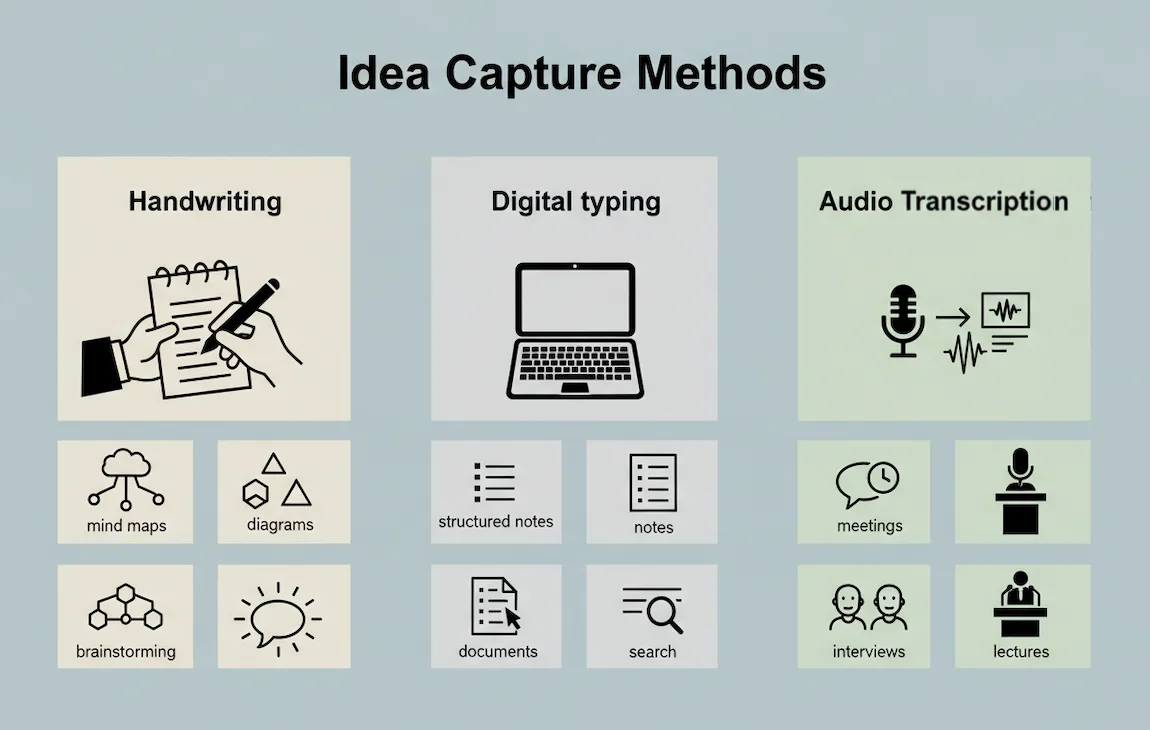
As you can see, the best approach really hinges on whether you need to capture information quickly, organize it for the long haul, or just let your creative ideas flow.
Paper can suit mind maps and quick diagrams. Digital notes can suit searching, reorganizing and sharing. Test the method against the task.
The Unbeatable Edge of Digital Note-Taking
On the other hand, when you need to capture a ton of information word-for-word, nothing beats a keyboard. Most of us can type way faster than we can write, making a laptop the clear winner for detailed lectures or interviews where every detail counts. Plus, digital notes have some incredible advantages when it comes to staying organized.
- Search Anything, Instantly: Imagine finding a specific keyword from a meeting you had two years ago in a matter of seconds. That's a huge time-saver.
- Edit Without the Mess: You can completely restructure, rephrase, and reformat your notes with a few clicks, keeping them tidy and easy to read.
- Connect Everything: Digital notes are simple to share, link to other resources, and sync up with your calendars or project management tools.
Of course, hybrid tools - like a stylus on a tablet - can combine handwriting with digital organization. If you want to test voice input instead of typing or writing, learn how to dictate directly into Google Docs and compare total task time after corrections.
The trick is to be intentional. Grab a pen when you're brainstorming and need to think creatively. Fire up your laptop when you need to capture a flood of information fast and accurately.
Got Questions About Speeding Up Your Note-Taking?
As you start putting these strategies into practice, you're bound to run into a few questions. Let's be honest, changing old habits isn't something that happens overnight. It takes a bit of trial and error.
Here are some answers to the most common sticking points people hit when they're trying to get faster at taking notes. Think of this as a way to smooth out the learning curve.
"But I Just Can't Type or Write That Fast."
If physical writing speed is the limit, summarize key ideas rather than trying to capture every sentence. Mark passages that need later review.
Here are a few ways to work around physical speed limits:
- Create Your Own Shorthand: You don't need to learn a whole new system. Just come up with simple abbreviations for words you use constantly. For example, use "mktg" for marketing or "cust" for customer if those abbreviations remain clear to you.
- Hunt for Keywords and Triggers: Instead of writing out full sentences, grab the key nouns, verbs, and phrases that will trigger your memory later. You're capturing concepts, not a court transcript.
- Review a Recorded Discussion: For meetings you are allowed to record, Paraspeech can create a draft transcript for later review. Keep your own high-level notes during the discussion, then check the transcription against the saved audio.
"How Do I Figure Out What's Actually Important to Write Down?"
This is the golden question, and the answer is a skill called active listening. At first, you might get a little FOMO, feeling like you're missing crucial details. But with a bit of practice, you'll become a much better filter.
A little prep goes a long way. Before you walk into a meeting or lecture, spend two minutes looking at the agenda. What are the goals? Knowing this gives you a mental framework to hang information on, making it easier to spot what's relevant.
Also, listen for the verbal signposts people use to flag important information:
- "The key takeaway here is..."
- "So, to sum it all up..."
- "You'll definitely want to remember this."
- "Okay, the action items are..."
When someone repeats a point or you can hear the emphasis in their voice, that's your cue. It's a filtering process, that you can practice against notes you later review.
The biggest leap you can make is shifting your mindset from "capture everything" to "capture what matters." The value of your notes is in their clarity, not their volume.
"Is It Okay to Mix and Match Different Note-Taking Methods?"
Yes. Choose a method for the task rather than requiring one system for everything.
Blending different approaches is often the most effective way to go. For example, you could kick off a brainstorming session with a big, messy mind map to get all the ideas out. From there, you might switch to a simple outline to organize those thoughts into a structured plan.
You can also combine structured note-taking with technology. During a dense project meeting, you might use the Cornell Method on your tablet to capture key ideas while recording the discussion. Later, you can run the audio file through Paraspeech to generate a draft transcript, then export text or VTT for review. This gives you both concise notes and a searchable record to clean up without having to write everything down in real time.
The whole point is to choose the right tool for the situation. Sometimes that means writing, sometimes typing, and sometimes letting voice transcription handle the heavy lifting so you can concentrate on understanding the conversation.
Ready to stop typing every note by hand? Paraspeech can turn supported audio and video files into reviewable notes and exports through a local-only Mac file-transcription workflow that requires a downloaded offline model. Live dictation has separate supported local and eligible cloud-backed paths, so verify the effective backend and fallback state for that workflow. Try the seven-day Monthly or Yearly subscription trial, with unlimited transcriptions.