The best dictation software for Mac depends on the job. Start by testing Apple Dictation on a complete email, document or prompt in the apps you actually use. Browser voice typing can be enough if every draft lives in one web editor. Meeting transcription tools serve a different job: turning a conversation into a record. Compare dedicated Mac apps when you need additional vocabulary, text cleanup, shortcut or processing controls.
Written by Alex Burlis, founder of Paraspeech. We make one of the apps discussed. This guide compares documented capabilities and plan terms; it is not an independent speed or accuracy benchmark. Paraspeech is not affiliated with or endorsed by the other vendors mentioned.
Live dictation, saved-file transcription, meeting notes and accessibility voice control have different success criteria. Choose the job before choosing the app.
Paraspeech is built for that Mac-wide workflow. It is a candidate when you want shortcut-driven dictation into many editable fields, supported local modes on Apple Silicon Macs after setup, and eligible cloud-backed paths for account, hardware, or workflow needs. Verify the active backends and fallback state when processing location matters.
It is not the best fit for every Mac user. Do not choose Paraspeech first if you only dictate an occasional sentence, need formal compliance certifications, require offline local dictation on an Intel Mac, or mainly want a shared meeting-recording workspace.
Last checked: 8 October 2026. The feature and plan comparisons use linked official documentation. These source checks are separate from hands-on testing.
Quick Answer
The right starting point depends on the job. Apple Dictation is the sensible first test for your actual writing task, including a full draft. Browser voice typing can cover a workflow that stays in one web editor. Compare dedicated apps if the built-in option lacks controls you need. Recorded files and meetings belong to their own transcription categories.
Paraspeech is one candidate for the Mac-wide writing job. The Paraspeech Mac page covers installation and hardware support. If local processing is a requirement, check the offline speech-to-text guide before choosing a mode: supported Apple Silicon Macs can use local modes after setup, while eligible Intel Macs use cloud-backed subscription models.
Mac Dictation Decision Table
Make three decisions before comparing feature lists:
- Separate live dictation from recorded files and meetings.
- Decide whether you need one editor or text insertion across your Mac apps.
- Check hardware and processing requirements, especially if local or offline use is mandatory.
Then use the table to choose the first category to test.
| Your Mac workflow | First category to test | What to check | Where Paraspeech fits |
|---|---|---|---|
| Emails, documents, prompts and notes | Apple Dictation | Can the built-in tool handle your full task and recurring terms? | Compare a paid app only if it adds controls you need. |
| Daily writing across Mail, Notes, Docs, browsers, chat, CMS fields, and editors | Dedicated Mac-wide dictation app | Does text insert where your cursor already is? | Paraspeech is designed around Mac-wide dictation; test the exact editable fields and clipboard fallback. |
| Privacy-sensitive drafts on supported Apple Silicon Macs | Local-capable Mac dictation app | Is the active speech backend local, is the separate rewrite backend appropriate, and did cloud fallback occur? | Download local speech models and check rewriting and cloud fallback separately. |
| Intel Mac dictation | Cloud-backed Mac dictation support | Does the tool say exactly what runs in the cloud? | Fit for eligible subscription cloud-backed workflows, not offline local Intel dictation. |
| Existing audio or video files | File transcription workflow | Does the app handle files separately from live cursor dictation? | Fit for Mac file transcription when a downloaded offline model is available; see the audio file transcription guide. |
| Team meeting notes | Meeting transcription workspace | Do you need recording, speakers, summaries, sharing, and admin controls? | Meeting Mode offers a separate Mac recording and review workspace; check any sharing or administration requirements. |
| One browser document | Browser voice typing | Is the browser editor the whole workflow? | Useful when you also want the same voice workflow outside the browser. |
That table matters because most "best dictation app" lists mix live writing, file transcription, meetings, privacy, and hardware. Those are related, but they are not the same buying decision. Once you have picked the category, the Paraspeech review kit gives you a repeatable way to test insertion, local and cloud-backed modes, and offline behavior without turning one result into a universal claim.
Mac Dictation Apps to Compare
This shortlist gives you a reason to try each app and a boundary to check. It is not a ranking of transcription quality. Local transcription is available in several of these products; it is not a unique Paraspeech capability.
| App | Reason to try it | What to check before choosing |
|---|---|---|
| Apple Dictation | The built-in baseline for text entry anywhere you can type. Try your complete writing task before paying for another app. | Apple's Dictation guide explains supported commands and how to check on-device processing in Keyboard settings. Availability varies by language and configuration. |
| Paraspeech | Shortcut-driven Mac dictation with vocabulary and replacement controls, supported local models on Apple Silicon, and eligible cloud-backed subscription modes. | Lifetime covers local features, twelve months of updates and use of the last covered version. Check speech, rewriting and allowed cloud fallback separately; Intel Macs use cloud models with a subscription. |
| Wispr Flow | Cloud dictation with text cleanup, a dictionary and Snippets, across several desktop and mobile platforms. | Wispr's product guide says transcription requires internet. Features vary by platform; test the cleanup on your own text. |
| Superwhisper | Its Free plan includes unlimited local Whisper dictation, custom vocabulary, replacements and up to two modes without AI processing. | The plan documentation separates Free from Pro's AI processing, file transcription and additional model choices. Check whether your chosen models run locally or in the cloud. |
| VoiceInk | A Mac app whose one-time licenses include lifetime updates and a selected device allowance. | Check supported hardware and the separate settings for local transcription, cloud transcription and enhancement. VoiceInk's processing documentation explains which content optional cloud features send. |
| Monologue | Its plans combine dictation with recorded Notes and meeting notes across supported Apple devices. | Dictation and saved Notes have different processing and storage policies. Saved Notes store audio, transcripts and summaries for syncing; check the workflow you intend to use. |
For more detail, browse the individual dictation app comparisons. Use the same paragraph, names and destination apps when trying your shortlist, and compare the corrections you actually need. A feature list cannot establish which app produces the most useful result for your work.
Compare Mac requirements and processing
Use the same questions for each app: can your Mac run it, which plan enables the workflow, where is speech processed, and what else can send content? A local speech model does not settle cleanup, correction learning, context or saved-note processing.
Mac and plan requirements
| App | Mac requirements | Plan or access boundary |
|---|---|---|
| Apple Dictation | Built into macOS. Check your language and the processing notice in Keyboard settings; availability varies. Apple guide | Included with macOS; turn on Dictation in Keyboard settings. Setup |
| Paraspeech | macOS 14 or later. Supported local speech requires Apple Silicon and downloaded models; eligible Intel use is cloud-backed. Mac requirements | Subscriptions include supported local and cloud models. Lifetime covers eligible local features, twelve months of updates and continued use of the last covered version. Direct Monthly/Yearly checkout includes a seven-day trial with unlimited transcriptions; other offers can differ. Plans, pricing |
| Wispr Flow | macOS 12 or later, Intel or Apple Silicon; microphone and Accessibility permissions for dictation and insertion. Requirements | An account is required. Free has a recurring allowance; paid plans provide expanded access. Check the allowance attached to your account. Setup, plans |
| Superwhisper | macOS 14 or later. Check the chosen model's hardware needs; for example, local Cohere Transcribe uses Apple Silicon on Mac. Setup, models | Free includes unlimited local Whisper dictation and up to two modes without AI processing. Pro adds cloud models, AI processing and file transcription. Plans |
| VoiceInk | Its installation guide requires macOS 15 or later and recommends cloud transcription on Intel. Local Refine cleanup requires Apple Silicon and at least 16 GB of memory. See the conflicting sales-page requirement below. Installation | One-time licenses include lifetime updates and a chosen device allowance. Hosted-provider usage is charged separately through your provider account. Licenses, provider charges |
| Monologue | Mac is supported; local transcription is available only on Apple Silicon. Platforms | A limited trial precedes paid access. Pro subscriptions include unlimited dictation and recorded Notes. Plans |
VoiceInk requirements need confirmation: On 8 October 2026, its sales page still says Apple Silicon only and macOS 14.4 or later, while its installation guide says macOS 15 or later and discusses Intel cloud use. Confirm the current installer requirements before buying for an Intel Mac or an older macOS version.
Speech, cleanup and other content paths
Apple Dictation
Speech. Keyboard settings identify whether general text Dictation is processed on-device for your configuration. Do not extend that notice to every language or search-box dictation. Processing notice
Cleanup. Automatic punctuation is available in supported languages. You can select an alternative for an ambiguous word or type/dictate a correction. Editing controls
Other content. Improve Siri & Dictation is a separate choice that can share audio recordings with Apple. Sharing control
Paraspeech
Speech. Supported local models process audio on your Mac. Eligible cloud speech sends audio; online dictation can temporarily use cloud processing if a local model is unavailable. Speech and fallback
Cleanup. Local rewriting requires the direct-download Mac app, supported Apple Silicon, a ready model and eligible access. Cloud rewriting sends text. Rewrite requirements
Other content. Automatic Dictionary observes corrections in supported fields in the direct Mac app with the required permission. Privacy Mode blocks cloud speech and cleanup for dictation; separate Meeting Mode automatically attempts cloud summaries using transcript text after stopping. Dictionary, processing boundaries
Wispr Flow
Speech. Transcription runs in the cloud and requires internet. Data controls, overview
Cleanup. Flow cleans fillers, punctuation and spoken self-corrections before inserting the result. App and surrounding text can inform formatting. Cleanup, context
Other content. Review Context Awareness and Auto-add to Dictionary separately. Optional feedback can include audio, transcripts and edits. Model improvement, cloud storage and local history have separate controls. Data controls
Superwhisper
Speech. Choose a local or cloud voice model per mode. Voice processing
Cleanup. Voice to Text skips AI processing. Pro's local S1-mini cleanup is English-only in Message/Mail modes; other models can use cloud processing. Modes, language models
Other content. Enabled application, copied-text and selected-text context can enter AI processing. Vocabulary hints reach the selected cloud voice provider; text replacements are applied locally. Mode context, data flow
VoiceInk
Speech. Downloaded local models process audio on your Mac; hosted transcription sends audio to the selected provider. Local models, data flow
Cleanup. Enhancement is optional. Refine cleans text locally; hosted enhancement sends text, vocabulary and enabled context. A local CLI command can still contact a cloud service. Enhancement paths
Other content. Dictionary Auto Learn sends changed text and neighboring text to its separately selected review provider. Disable it or select a local Ollama review model for that part to stay local. Auto Learn boundary
Monologue
Speech. A downloaded local model on Apple Silicon can return a raw transcript offline; remote transcription sends audio for processing. Models
Cleanup. Smart cleanup and context-aware formatting use Monologue's online service, including after local speech recognition. Formatting
Other content. Deep Context screenshots are processed separately. Saved Notes store audio, transcripts and summaries in your account for syncing; that differs from Dictation storage. Data policy
These are documented choices, not observed network results or a privacy ranking. Check the enabled mode and your destination editor's syncing too. If local processing is essential, verify every content path you use rather than selecting an app from its speech-model label alone.
Apple Dictation Versus Dedicated Mac Dictation Apps
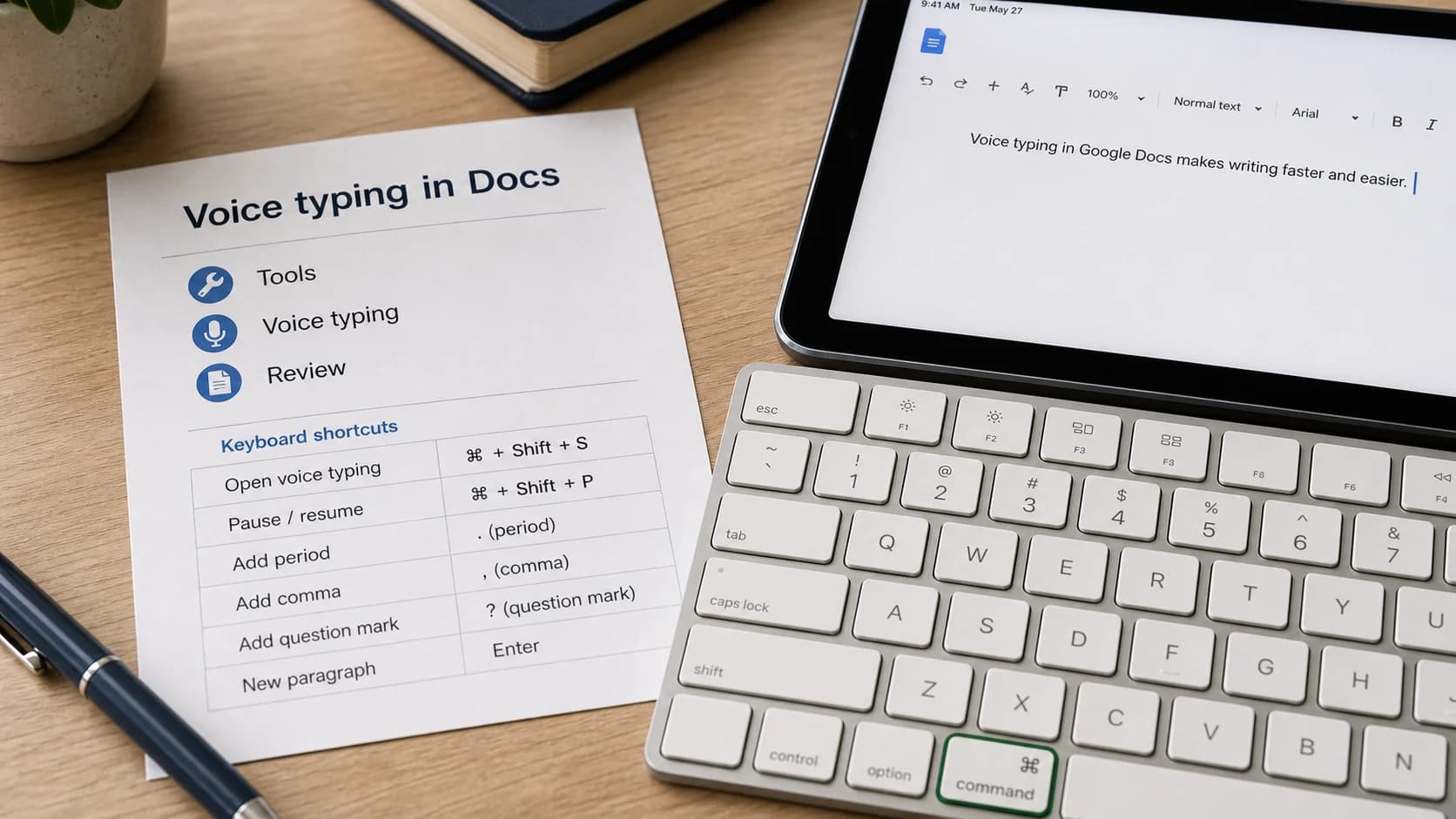
Apple Dictation is the correct first stop for many Mac users. Apple's Mac Dictation guide covers dictating messages and documents, starting dictation from the microphone key or a keyboard shortcut, and using punctuation or formatting commands where supported. Apple also notes that language and feature availability can vary by macOS version, language, country, or region.
Use Apple Dictation for:
- a complete document draft in your writing app;
- emails and Messages replies;
- notes and other editable text fields;
- testing whether voice input fits your habits before paying for anything.
Consider a dedicated Mac dictation app when you need controls that the built-in tool does not provide for your workflow. Compare:
- one repeatable start-and-stop workflow across many apps;
- custom names, acronyms, product terms, and jargon;
- clearer local-versus-cloud processing choices;
- fewer interruptions during longer writing sessions;
- less copy-paste work when text lands in the intended field.
If Apple Dictation handles your full task and recurring terms well, you may not need a paid app. Test a dedicated app when a specific missing control or repeated correction makes the built-in workflow cumbersome.
What Mac-Wide Dictation Means
"Works on Mac" is too vague. A useful mac dictation software workflow lets you place the cursor in a normal text field, press a shortcut, speak, release, and continue working without copying text from a separate dictation editor.
That matters in ordinary Mac workflows:
- reply in Mail, then write in Google Docs;
- draft a support response in a browser form;
- dictate a note in Apple Notes, Notion, Obsidian, or Ulysses;
- add comments in a code editor;
- write a Slack, Linear, or GitHub update;
- move from a draft document into a CMS field.
If a tool only works well inside one document surface, it may still be useful. It is just a narrower category. For setup-level guidance, read how to do speech to text on Mac. Use this page as the broader buyer guide.
Local Modes, Cloud-Backed Modes, and Hardware
Privacy and offline claims around dictation get sloppy quickly. Use precise wording.
For Paraspeech, supported local speech can run offline after setup. On-device rewriting can also run locally only where the direct Mac distribution and current product access permit it. Initial model downloads and cloud-backed features require internet. When the active speech backend is local, speech audio is transcribed on the Mac; rewrite uses a separate backend. Eligible cloud speech—including allowed temporary fallback—or cloud rewrite transmits the content needed for that operation to the applicable cloud provider.
Hardware matters. Apple Silicon Macs can use supported local models. Intel Macs are supported with cloud-backed models on subscription, but Paraspeech should not be described as an offline-local Intel dictation tool.
Use this decision path:
| Question | Why it matters |
|---|---|
| Are you on Apple Silicon or Intel? | Supported local modes require Apple Silicon; Intel relies on cloud-backed subscription workflows. |
| Are you dictating live text or processing files? | Live cursor dictation and file transcription have different success criteria. |
| Does the text contain private, client-sensitive, or unreleased material? | You may want a supported local mode instead of a cloud-backed path. |
| Do you need account-backed cloud features? | Those require internet and the right plan. |
| Is offline work mandatory? | Local modes can work offline after setup; initial downloads and cloud-backed features cannot. |
Mac file transcription has its own boundary. In Paraspeech, file transcription is local-only and requires a downloaded offline model. If your main workflow is bulk recordings, meeting libraries, or speaker-labeled transcripts, compare that category directly instead of assuming the best live dictation app is also the best file tool.
What To Test Before You Pay
Use this checklist when comparing dictation software for macOS.
| Criterion | What to test | Why it matters |
|---|---|---|
| Mac-wide insertion | Dictate into Mail, Notes, a browser field, and a non-Apple editor. | Dictation loses value if you must copy and paste from a scratchpad. |
| Shortcut behavior | Start and stop dictation 10 times in a normal writing session. | The trigger should feel easier than reaching for a menu. |
| Processing clarity | Switch modes, if available, and confirm which path is local or cloud-backed. | Privacy and reliability depend on the actual mode, not the marketing label. |
| Hardware boundaries | Check whether your Mac is Apple Silicon or Intel. | Not every Mac gets the same local model behavior. |
| Vocabulary control | Dictate names, product terms, acronyms, and repeated phrases. | Cleanup time is often the real cost of dictation. |
| File transcription boundary | Try a live paragraph and a short audio file separately. | Live dictation, files, and meetings are different jobs. |
| Pricing fit | Compare subscription and lifetime plan boundaries. | Subscription and lifetime options can cover different capabilities. |
The best test is a real five-minute writing run:
- Dictate an email you would actually send today.
- Dictate a paragraph with names, acronyms, or specialized terms from your work.
- Dictate into two non-Apple apps you use daily.
- Fix one mistake and see whether the workflow gets faster or interrupts you.
- Confirm the active speech backend, separate rewrite backend, and temporary speech-fallback state.
If offline use matters, do not infer it from a product label. Finish setup, select the claimed local mode, turn Wi-Fi off, and repeat the test.
If Apple Dictation handles that cleanly, you may not need a dedicated app. If the test breaks because of app switching, vocabulary, corrections, or processing-mode ambiguity, Paraspeech is worth testing.
Where Paraspeech Fits
Evaluate Paraspeech as a Mac writing tool, not as a generic "AI voice" promise.
Choose Paraspeech when you want to:
- dictate into the Mac apps where you already type;
- use one keyboard shortcut for repeated daily voice input;
- keep supported local workflows local after setup;
- use cloud-backed processing deliberately when your account, device, or task calls for it;
- tune vocabulary, replacements, and templates around your writing.
Choose something else first if you need:
- Windows support;
- formal healthcare, legal, or security certification claims;
- no-cloud local processing on an Intel Mac;
- centralized team administration or automatically shared meeting records;
- only an occasional short note.
This is the honest Paraspeech fit: Mac users who want voice input across real writing surfaces and who care about where processing happens.
Common Questions
What is the best dictation software for Mac?
Start with Apple Dictation on your actual writing task because it is built into macOS. If you need additional controls, compare the named apps above. Paraspeech is one candidate for shortcut-driven Mac writing with supported local modes on Apple Silicon and eligible cloud-backed paths.
Is Apple Dictation good enough?
It may be. Try Apple Dictation with your real text and recurring terms. Compare a dedicated app if you need additional vocabulary, cleanup, template or processing controls.
What is the best speech-to-text software for Mac?
For live writing, prioritize insertion behavior across the fields you use, shortcut behavior, vocabulary control, and transparent processing modes. For recordings, evaluate file transcription. For meetings, evaluate meeting assistants. Those workflows overlap, but they are not the same product category.
What is the best voice-to-text software for Mac?
Use the same decision path as speech-to-text software: first separate live writing from recordings and meetings. For live Mac writing, test whether the app inserts text where the cursor already is, handles your vocabulary, and makes local-versus-cloud processing clear.
Does Paraspeech work offline?
Supported local Mac modes can work offline after setup. Initial model downloads, updates, account features, and cloud-backed processing require internet. Supported local modes are available on Apple Silicon; Intel Macs use cloud-backed subscription models. Verify the active speech and rewrite backends and temporary speech-fallback state for an exact locality claim.
Is Paraspeech better than Apple Dictation?
Not necessarily. Apple Dictation is free and built in; test it on your full writing task. Compare Paraspeech if its vocabulary, replacement, shortcut or processing controls address a specific need that the built-in tool does not meet.
Should I use Paraspeech or a meeting transcription app?
Paraspeech supports live dictation and a separate Meeting Mode workspace for recording, playback and speaker-aware transcripts. Meeting Mode requires a supported Apple Silicon Mac, capture permissions and ready local speech and speaker-label models. Meeting Mode automatically attempts a cloud-generated summary after you stop; it requires internet. Compare dedicated meeting services if shared records or team administration are essential.
Is Paraspeech mainly for file transcription?
No. Paraspeech is designed as a Mac-wide dictation app for writing into many editable text fields; unsupported fields may require a clipboard fallback. Mac file transcription is a separate local-only workflow that requires a downloaded offline model.
Test your shortlist
Test Apple's built-in tool on your full writing task first. If you need more control, compare dedicated tools by insertion behavior, processing mode, hardware support and the cleanup required on your own text. The comparison hub covers individual app tradeoffs; the writer buyer guide focuses on drafting and revising longer work.
If that points to Paraspeech, download Paraspeech for Mac and run the same short sample in the apps you use. Read the Mac speech-to-text setup guide for the first test, or check the offline Mac requirements before relying on a local workflow.