Dragon for Mac was discontinued on October 22, 2018. Nuance's retirement notice covers Dragon Professional Individual for Mac. The current Dragon Professional listing is for Windows.
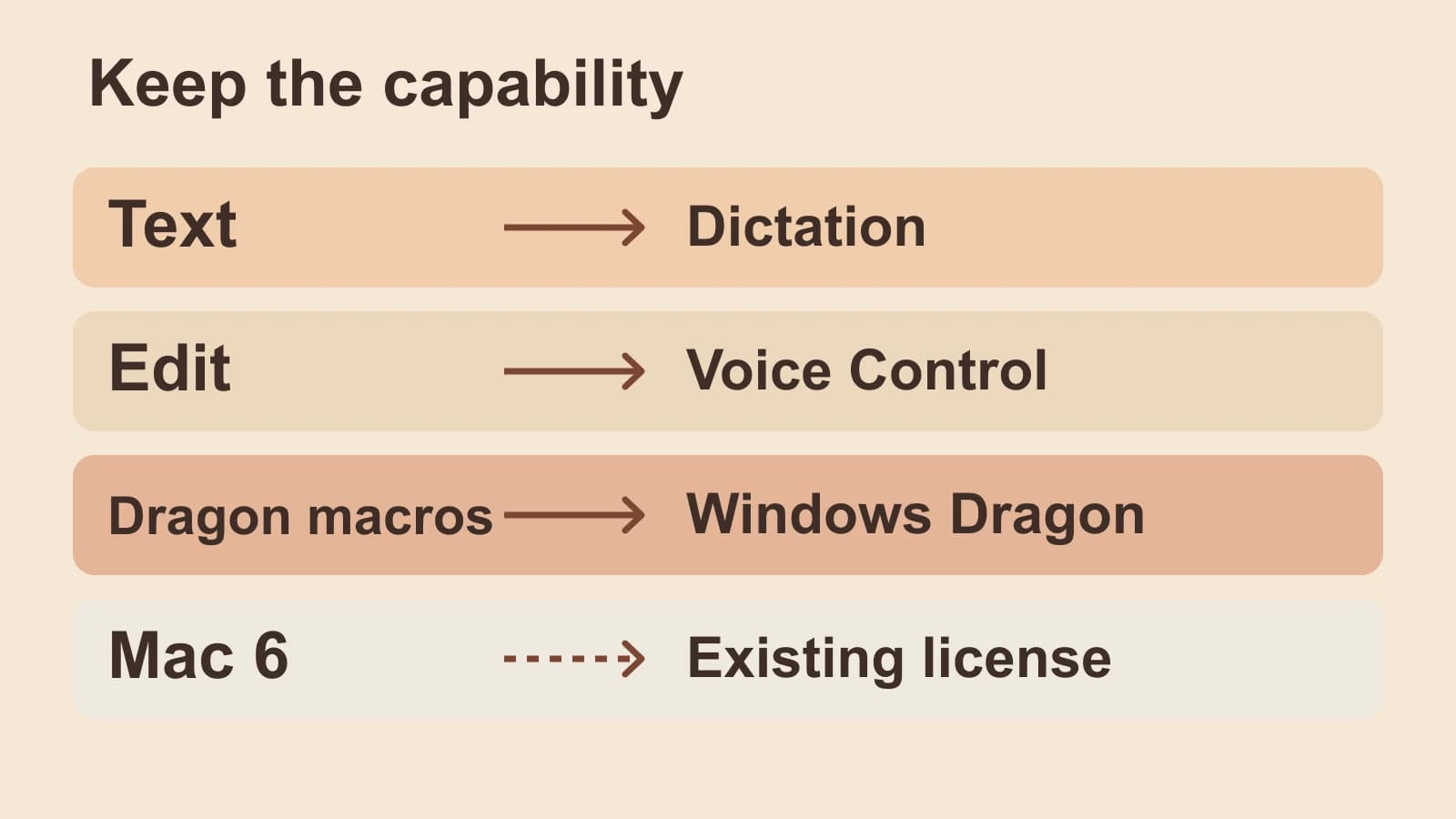
For a replacement, start with the capability you used. Apple Dictation is the native Mac starting point for entering text. Apple Voice Control adds spoken editing and navigation. If your work depends on Dragon-specific commands or macros, evaluate the current Windows product and the transfer work separately. An existing Mac 6 license belongs to a fourth decision: keeping a legacy installation.
We publish this guide and sell the app in the optional section below. We are not affiliated with Nuance/Dragon or Apple.
Last checked: October 8, 2026. This guide uses first-party documentation and released product sources. It does not report a native trial, compatibility test or benchmark. The hero is an original illustration.
Match the old capability to a current route
Think about what a successful session ended with: new text, an edited document, completed actions or continued use of an old installation. Those outcomes require different capabilities.
| Old capability and dependency | Documented route, scope and transfer boundary |
|---|---|
| Plain dictated text. You need new words in a Mac writing field. | Apple Dictation: native live text entry. Language, features and processing vary by configuration. This guide establishes no Dragon profile or vocabulary import route. |
| Spoken editing and navigation. You need to change existing text or operate the Mac by voice. | Apple Voice Control: text editing, app and desktop navigation. It handles dictation while active. Treat old Dragon command names and behavior as a separate mapping task. |
| Dragon commands, boilerplate or macros. You need a named trigger to insert standard wording or perform several actions. | Current Windows Dragon Professional documents those features. For a Mac rebuild, Voice Control has custom text and Shortcut actions. Neither source establishes transfer of legacy Dragon commands; Windows Dragon is not a native Mac upgrade. |
| An existing Mac 6 installation. You already own the legacy software. | The existing perpetual license: Nuance's 2018 notice permits continued use and ends software updates. The license does not establish compatibility, reinstallation or activation success on a current Mac. |
The map draws on Apple's Dictation guide, Voice Control commands and custom-command guide, alongside Nuance's Windows product page and Mac retirement notice.
Choose a route for writing or voice editing
If you used Dragon mainly to write paragraphs, begin with Apple Dictation in the app where you write. Apple documents live text entry where you can type, including punctuation and basic line or paragraph commands. For the controls, language and microphone setup, use the Mac speech-to-text setup guide.
Spoken correction is a different requirement. A tool that produces polished new text may still leave you reaching for the keyboard to select or change existing words. For that job, start with Voice Control. Apple documents text-editing commands alongside actions such as opening apps, scrolling and clicking onscreen items.
In Voice Control, say “Show commands” to see the commands available for the app and task. Find the action you formerly performed with Dragon, then use the command Voice Control exposes for that context. An old command phrase and a current command can sound alike while doing different things.
When Voice Control is on, it supplies its own dictation; standard macOS Dictation is unavailable. Choose the mode for the whole task rather than trying to run both as interchangeable text-entry controls. Apple's Voice Control documentation
Rebuild commands by the actions they perform
A spoken trigger that inserts a standard paragraph and a trigger that opens an app, moves between fields and submits a form have different dependencies. The first needs stored wording. The second needs control over actions and their order.
Before replacing an old command, write down its result. “Insert the booking reply” might mean adding text to the current cursor. It might also mean opening a reply, filling an address, adding the paragraph and sending it. A replacement that handles only the paragraph would leave the rest of that workflow unresolved.
Nuance's current Dragon Professional page documents custom commands for boilerplate and multi-step macros on Windows. That is the current Dragon route to evaluate when those features are essential. The page does not establish that your old Mac command definitions will transfer unchanged.
If you must stay on Mac, Apple's Voice Control customization guide offers concrete rebuilding options: Paste Text, Press Keyboard Shortcut and Run Shortcut. A command can apply in any app or a specific app. Assess these actions against each part of the old routine.
Voice Control's import feature accepts custom Voice Control commands; Apple does not describe it as a Dragon importer. Referenced files and Shortcuts also require separate transfer. Rebuild the required action before deciding that the old command has a replacement.
For broader writing-app choices, use the writer buyer guide or Mac dictation buying guide.
Example: one booking reply, three different requirements
This is an invented workflow to illustrate the choice, not a customer story or tested output. Suppose a museum coordinator's old routine produced this reply:
Your group is booked for Thursday at 10 a.m. Please meet at the east entrance. We will send the accessibility information separately.
Writing a new reply: if the coordinator simply speaks those sentences into an open draft, Apple Dictation is the starting point. The task ends with editable text.
Changing the date by voice: if the draft already says Friday and the coordinator needs to select and replace that word without a keyboard, evaluate Voice Control's editing commands in the destination app. Accurate first-pass dictation alone does not resolve this requirement.
Running the recurring reply: if the trigger only inserts the paragraph, Voice Control's Paste Text action is a Mac rebuilding option. If it also performs other actions, separate those actions and assess a Shortcut or the current Windows Dragon command route. This example does not demonstrate either implementation. A new text-entry workflow replaces only the writing part until the remaining actions are accounted for.
The recurring wording and the actions should be evaluated separately. That distinction prevents a good transcription result from being mistaken for a complete workflow replacement.
For an existing recording rather than live speech into a draft, use the audio-file transcription guide. Importing a recording is a separate job from restoring Dragon commands.
What an existing Mac 6 license means
Nuance's retirement notice says customers who purchased Mac version 6 have a perpetual license and may continue using the software. It also says Nuance stopped providing updates after October 22, 2018.
That distinguishes permission to keep using an existing installation from evidence that it will work after a Mac or operating-system change. The notice supplies the license answer, not a current compatibility guarantee.
Old Mac help pages can still explain an existing installation. Their presence in search does not mean the native Mac product has returned. If you are replacing that installation, use the capability map above instead of treating the current Windows listing as a Mac upgrade.
When Paraspeech fits
We build Paraspeech. It is a Mac dictated-text route to evaluate when the part you want to replace is entering text and handling repeated wording. With Accessibility permission, it can insert text into many editable Mac fields; unsupported fields may require copying and pasting the result. Current product documentation
For recurring terms, Dictionary provides manual Original and Replacement rules, with optional case-sensitive matching. In a made-up museum example, a rule could replace the recognized text bayview museum with Bayview Museum. Add a specific rule only when that output needs changing; broad rules can replace wording you intended to keep. These rules change text after recognition. They do not establish pronunciation training or transfer of a Dragon profile. Word Replacement documentation
Automatic Dictionary can also learn from corrections in supported editable fields with the required permission in the direct-download Mac app. The Mac App Store build cannot observe those corrections. That is a separate feature from adding a manual rule, and neither supplies a verified Dragon command-import path. Correction-learning documentation and release notes
Supported local speech requires Apple Silicon, downloaded models and eligible access. Intel Macs use cloud-backed models with a subscription. Speech recognition and rewriting are separate choices; eligible online dictation may use cloud processing when a local model is unavailable. Initial downloads and cloud-backed operations require internet. Mac processing documentation
Choose Paraspeech for its text-output controls only after separating those needs from spoken editing and automation. If Apple Dictation already handles the text and recurring terms, keep it. Voice Control remains the Mac starting point for editing and navigation; current Windows Dragon is the documented Dragon command route.
