Paraspeech Blog

Write by voice, then edit

Speech-to-text guides, processing-path explainers, and Mac productivity stories from the team building Paraspeech.

1 articleRSS
All topicsDictationSpeech-to-TextProductivityTranscriptionMacFor WritersPrivacy & OfflineFor DevelopersSubtitlesFile FormatsWhisperWispr FlowAccessibilityApple PagesAudacityCaptionsChromeClaude CodeDiscordDragonExcelFinal Cut ProFocus GroupsGoogle MeetGoogle SlidesImovieIphoneKeyboardsManuscriptMarkdownMeeting CaptureMeeting SummaryMeeting TranslationMicrophonesMicrosoft CopilotMicrosoft WordModel SelectionNotionOnenoteOutlookPowerpointRaycastScreen RecordingScrivenerSlackSpeaker DiarizationTroubleshootingWebexWhatsappYoutubeZoom
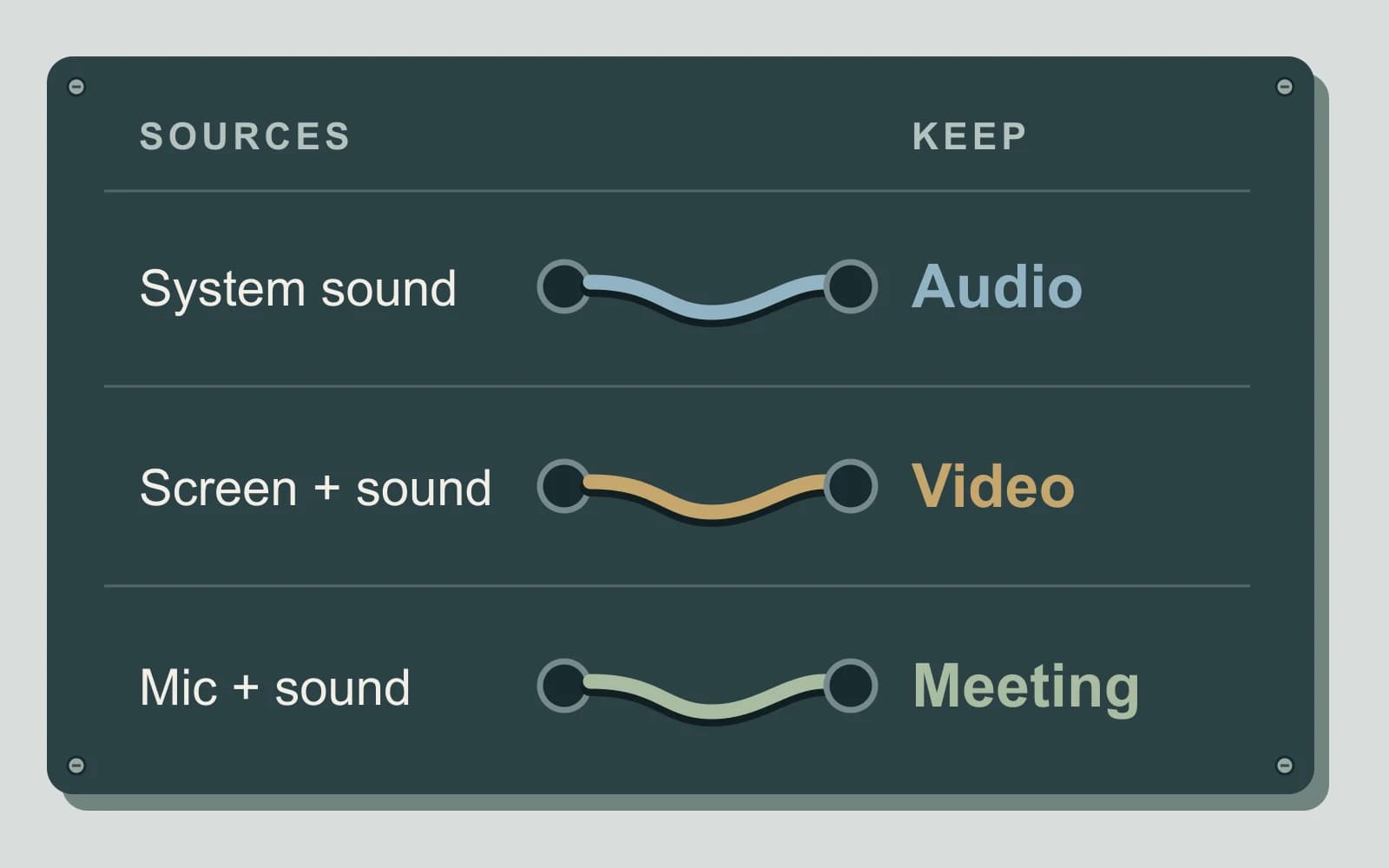
Original source-routing diagram linking system sound to audio, screen plus sound to video, and microphone plus sound to a meeting record
Featured
mac audioscreen recordingmeeting capture

Record System Audio on Mac: Choose What You Save

System sound, your microphone and screen video are separate inputs. Choose the saved result first, then connect only the sources that belong in it.

November 7, 20267 min read
Free to try · Apple Silicon

Write by voice on your Mac

AI powered voice to text across your Mac, with supported local and cloud-backed modes.

BuyRead docsFollow updates

Footer

Paraspeech
Paraspeech

Voice typing for Mac. Offline or with the cloud.

Product

  • Download
  • iOS
  • Pricing
  • Teams
  • Changelog
  • Student Discount

Resources

  • Guides in your language
  • Documentation
  • Blog
  • Compare apps
  • Paraspeech vs. Wispr Flow
  • Review Kit
  • Support
  • Feature Requests

Company

  • Legal Notice
  • Manage License
  • Affiliate Program

Legal

  • Terms of Service
  • Privacy Policy
  • EULA
  • Refund Policy

© 2026 Paraspeech. All rights reserved.

Deutschv1.7.3
  • Home
  • Pricing
  • Blog
  • Docs
  • Changelog
  • Support
Download
Buy
Read docs